
The Best Fluffy Pancakes recipe you will fall in love with. Full of tips and tricks to help you make the best pancakes.
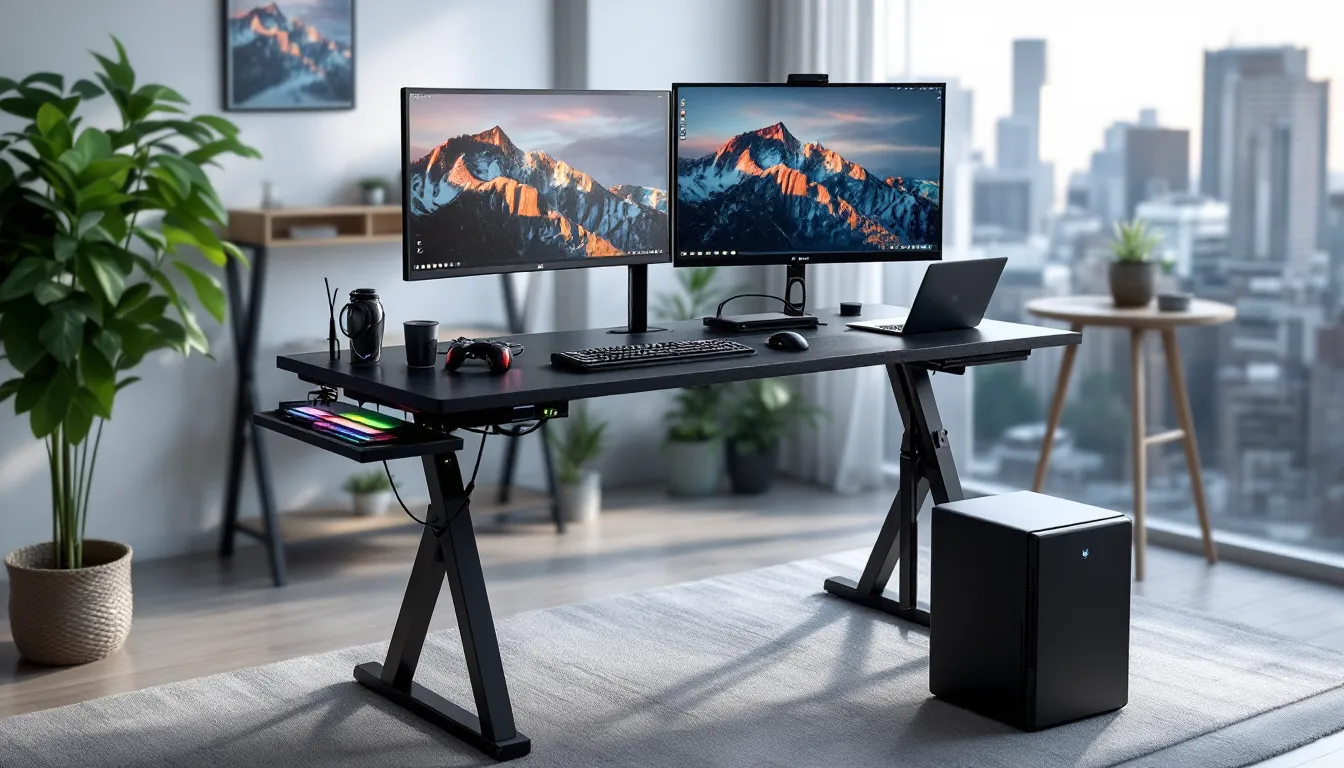
Portable Gaming Table: The Ultimate Guide to Leveling Up Your Gaming Sessions in 2026
Gaming setups have evolved way beyond the static desk-and-chair combo. Whether you’re grinding ranked matches, hosting a LAN party, or just need to shift your battlestation from the living room to the bedroom, a portable gaming table changes everything. These versatile pieces of hardware give gamers the freedom to play anywhere without sacrificing stability or performance.
The market’s exploded with options in 2026, from budget folding tables to premium height-adjustable desks with RGB lighting and built-in cable management. Some are built for the competitive grind, others for casual couch sessions or tabletop campaigns. The right portable gaming table doesn’t just hold your gear, it adapts to your playstyle, your space, and your workflow. Let’s break down what makes these tables essential, how to pick the perfect one, and which models actually deliver.
Key Takeaways
- A portable gaming table combines flexibility and performance, enabling gamers to shift setups between rooms, LAN events, or different gaming styles without sacrificing stability or comfort.
- Height-adjustable tables improve ergonomics by reducing neck strain and wrist fatigue, with optimal configurations placing elbows at 90-degree angles for both seated and standing positions.
- Weight capacity should exceed your gear’s actual weight by at least 50 percent—a dual-monitor setup exceeding 80 pounds requires a table rated for 120+ pounds to maintain stability during intense gameplay.
- Quality portable gaming tables feature reinforced frames (aluminum or steel), cable management systems with oversized grommets, and anti-slip feet to prevent wobble and minimize performance distractions.
- The right portable gaming table adapts to your specific needs: competitive gamers prioritize stability and depth for mouse movement, console players benefit from built-in cup holders and controller storage, and tabletop enthusiasts require larger surfaces with textured finishes.
What Is a Portable Gaming Table?
A portable gaming table is exactly what it sounds like: a gaming surface designed for easy transport, setup, and breakdown. Unlike traditional desks that stay bolted in one spot, these tables fold, collapse, or adjust to fit different spaces and situations.
Most feature lightweight materials like aluminum frames or composite tops, but don’t mistake “portable” for “flimsy.” Quality models support full gaming rigs, monitors, towers, mechanical keyboards, the works, while still being light enough to move solo. They range from simple folding tables to advanced standing desks with memory presets and motorized height adjustment.
The core difference between a portable gaming table and a regular folding table? Purpose-built features. You’re looking at reinforced surfaces to handle monitor mounts, cutouts or grommets for cable management, and stability mechanisms that prevent wobble during intense FPS sessions. Some even integrate cup holders, headset hooks, and controller storage.
Portability doesn’t mean one-size-fits-all. A table designed for LAN events looks nothing like one meant for couch gaming or tabletop RPG nights. The best models balance weight, durability, and feature density based on their intended use case.
Why Every Gamer Needs a Portable Gaming Table
Enhanced Mobility and Flexibility
Locked into one gaming spot gets old fast. Portable gaming tables let players shift between rooms, follow the best lighting, or move closer to the router for better ping. For content creators, this means streaming from different angles or relocating setups for better backgrounds without dismantling everything.
LAN parties and tournament events become drastically easier. Instead of improvising with whatever furniture’s available, gamers bring their own optimized surface. Folding models fit in car trunks, and setup takes minutes instead of hours of cable sorting and monitor balancing.
Seasonality matters too. Summer heat might push the setup to a cooler basement, while winter could mean gaming near a fireplace. Portability gives players control over their environment without committing to permanent furniture arrangements.
Improved Ergonomics and Comfort
Bad posture during marathon sessions isn’t just uncomfortable, it wrecks performance. Height-adjustable portable tables let gamers dial in the perfect monitor height and keyboard position, reducing neck strain and wrist fatigue. Standing desk variants support alternating between seated and standing positions, which helps with circulation during long grinds.
Many portable tables offer tilt adjustments for the surface itself, which benefits artists working on digital tablets or gamers who prefer angled keyboard positioning. Proper ergonomics directly impact reaction time and accuracy, especially in competitive scenarios where milliseconds count.
Couch and bed gaming tables solve the slouch problem. These smaller, specialized models elevate screens and controllers to eye level, preventing the hunched-over posture that comes from balancing a laptop on your knees for three hours straight.
Space-Saving Solutions for Small Setups
Not everyone has dedicated gaming rooms. Apartment dwellers, college students, and anyone sharing space need furniture that disappears when not in use. Folding gaming tables collapse flat and slide under beds or behind couches, reclaiming floor space for non-gaming activities.
Multi-purpose gaming carts work double duty as storage and workspace. When gaming’s done, the cart holds all peripherals in one mobile unit that wheels into a closet. This containment strategy keeps cables organized and prevents the “gaming sprawl” that annoys roommates and partners.
Vertical storage options have improved significantly in 2026. Several models now include wall-mount brackets that let tables hang vertically when folded, using wall space instead of precious floor area. For tiny setups, this transformation from full battlestation to wall art in under a minute is game-changing.
Key Features to Look for in a Portable Gaming Table
Build Quality and Durability
Frame material determines longevity. Aluminum alloy offers the best strength-to-weight ratio, tough enough to handle dual monitor setups while staying portable. Steel frames max out stability but add significant weight, making them better for semi-portable setups that move occasionally rather than daily.
Table surfaces matter just as much. Particle board might keep costs down, but it warps under weight and doesn’t survive moves well. MDF (medium-density fiberboard) strikes a balance between affordability and durability. Premium models use tempered glass or carbon fiber composite, these resist scratches, handle heat from equipment, and maintain aesthetically clean looks after years of use.
Check the joint mechanisms. Cheap folding hinges fail fast under repeated use. Look for reinforced pivot points with metal-on-metal connections rather than plastic components. Locking mechanisms should engage firmly without requiring excessive force.
Adjustability and Customization Options
Height adjustment ranges separate adequate tables from excellent ones. A useful range spans roughly 24 to 50 inches, accommodating both seated play and standing positions for users from 5’2″ to 6’4″. Manual adjustment works fine for tables that stay at one height, but motorized or gas-lift mechanisms shine for players who switch positions frequently.
Memory presets on electric standing desks eliminate guesswork. Programming favorite heights (seated FPS position, standing strategy game height, VR play height) means one-button transitions between configurations. This feature particularly benefits streamers who adjust camera angles or shared setups where multiple users have different preferences.
Surface angle tilt might seem niche but proves valuable for specific gaming styles. Fighting game players using arcade sticks often prefer slight forward tilt, while digital artists need adjustable angles for drawing tablets. Tables with independent tilt zones, flat area for mouse, angled section for keyboard, offer the most versatility.
Weight Capacity and Stability
Manufacturer weight ratings typically account for evenly distributed loads. Real gaming setups concentrate weight unevenly, heavy monitors on one side, tower placement creating imbalance. As a safety margin, target tables rated for at least 50% more than your gear’s actual weight.
Minimalist laptop setups might total 10-15 pounds, so a 30-pound capacity suffices. Full PC battlestations with dual 27-inch monitors, tower, and peripherals push 60-80 pounds. Ultrawide monitor setups or triple-screen arrays can exceed 100 pounds and require commercial-grade tables.
Wobble testing reveals true stability. When evaluating options, tables that can handle aggressive mouse movements and keyboard pounding without shaking the monitors pass the real-world test. Stabilizer feet, crossbar bracing, and low center-of-gravity designs all contribute to steadiness. Gaming hardware from established gaming laptop reviews often highlights desk stability requirements for optimal performance.
Anti-slip feet prevent the table from walking across hardwood or tile during intense sessions. Adjustable leveling feet compensate for uneven floors, crucial for preventing monitor tilt and maintaining consistent mouse tracking.
Cable Management and Accessory Features
Cable chaos kills the aesthetic and creates trip hazards. Built-in cable management systems, raceways, grommets, under-desk trays, keep power cables, USB connections, and video cables organized and accessible. Magnetic cable clips let users route cables along metal frames without zip ties or adhesive strips.
Grommet placement matters. Tables with multiple grommet positions allow customization based on peripheral layout. Oversized grommets (2+ inches diameter) accommodate multiple thick cables and modular connectors that don’t fit through standard holes.
Accessory integration adds convenience without cluttering. Headset hooks, controller holders, and cup holders mounted to the frame keep essentials within reach. RGB lighting strips aren’t just aesthetic, backlit edges reduce eye strain during night sessions and sync with other RGB peripherals for cohesive battlestation vibes.
USB hubs and power strips integrated into the table eliminate reaching for wall outlets. Models with built-in wireless charging pads handle phones and compatible peripherals. Some 2026 releases include Qi2 charging, delivering 15W wireless power that keeps devices topped up during gameplay.
Different Types of Portable Gaming Tables
Folding Gaming Tables
The classic folding gaming table prioritizes simplicity and transportability. These typically feature rectangular surfaces with folding legs that collapse flat in seconds. Modern versions have evolved beyond the wobbly card tables of the past, incorporating X-frame or H-frame designs that lock rigidly when deployed.
Best use cases: LAN parties, tournament events, temporary gaming spaces, outdoor gaming sessions, and anyone who needs to clear floor space daily. They’re the go-to for competitive players who attend offline events regularly.
Weight ranges from 15 to 40 pounds depending on size and materials. Most fold to 3-6 inches thick for storage. Surface sizes vary from compact 24×48-inch models to expansive 36×72-inch tournament tables that accommodate full peripherals spreads.
Limitations include fixed height (usually around 29-30 inches) and minimal adjustment options. They excel at portability but sacrifice the customization features of more advanced designs.
Height-Adjustable Standing Desks
Standing desk variants bring health-focused features to portable gaming. These use electric motors, manual cranks, or gas-lift mechanisms to transition between sitting and standing heights. Even though adjustment complexity, quality models maintain portability through modular designs with detachable legs.
Electric models offer the smoothest adjustment experience but add weight (typically 50-80 pounds) and require power access. Manual crank versions cut weight to 30-50 pounds and work anywhere but require physical effort to adjust. Gas-lift designs split the difference, lighter than electric, easier than manual.
Memory controller units on premium electric desks store multiple height presets and display current desk height digitally. Some 2026 models include Bluetooth connectivity, allowing height adjustment via smartphone apps or integration with smart home systems.
These tables suit dedicated gaming spaces that occasionally relocate rather than daily pack-and-go scenarios. They’re ideal for gamers serious about ergonomics and willing to invest in long-term comfort.
Lap and Bed Gaming Tables
Lap gaming tables target couch warriors and bed gamers. These compact surfaces feature folding legs (usually 8-14 inches tall) that straddle the user’s lap or elevate laptops and controllers to comfortable positions on mattresses.
Construction typically uses lightweight plastic, aluminum, or bamboo weighing 3-8 pounds. Surfaces range from 15×20 inches (tablet/controller size) to 24×16 inches (laptop and mouse space). Many include built-in mouse pads, beverage notches, and tablet slots.
Ventilation slots prevent laptops from overheating when gaming on soft surfaces like blankets. Wrist rests and angled surfaces reduce strain during extended handheld or laptop sessions. These tables won’t support full PC rigs but excel for Nintendo Switch, Steam Deck, gaming laptops, and mobile gaming.
Storage is nearly effortless, they slide between couch cushions or under beds occupying minimal space. Price points stay budget-friendly, typically ranging $20-60.
Multi-Purpose Gaming Carts
Gaming carts combine portability with storage and organization. Built on caster wheels, these mobile units feature tiered shelving, cable routing, and sometimes monitor mounts. Think of them as miniature gaming stations that roll wherever needed.
Typical configurations include a top surface for monitors (often 24×18 to 30×20 inches), a mid-shelf for keyboards and mice, and lower storage for towers, consoles, or accessories. Locking casters prevent movement during gameplay while allowing easy repositioning between sessions.
Ideal for shared spaces where gaming setups need to completely disappear after use. The entire rig, monitor, PC, peripherals, stays organized on the cart and wheels into storage as one unit. No cable disconnection or equipment teardown required.
Weight capacities usually hit 100-150 pounds across multiple shelves, supporting substantial hardware. Heights typically range from 30 to 40 inches. Some models include cable management arms that flex with the cart’s movement, and power strip mounting brackets that keep surge protectors accessible.
Top Portable Gaming Tables to Consider in 2026
Best Overall Portable Gaming Table
The FlexiSpot EG8 Electric Standing Desk dominates the portable gaming market in 2026. This 48×30-inch surface supports up to 154 pounds while maintaining portability through its quick-detach leg system. Four memory presets, dual motors, and a height range of 24.4 to 49.2 inches accommodate virtually any gaming position.
What sets the EG8 apart: tool-free assembly and disassembly in under 10 minutes. Legs separate via quick-release pins, and the desktop has integrated carry handles. Total weight sits at 65 pounds (desktop alone is 35 pounds), making it movable by one person using proper technique.
Cable management includes two oversized grommets, an under-desk cable tray, and magnetic cable organizers. The carbon fiber texture desktop resists scratches and liquid damage. Anti-collision technology prevents the desk from crushing objects during height adjustment, crucial for expensive peripherals.
Price hovers around $450, which positions it in the mid-to-premium range. The investment pays off for gamers who need both portability and adjustability without compromise.
Best Budget-Friendly Option
The COSCO Folding Gaming Table proves portable doesn’t mean expensive. At $89, this 48×24-inch folding table handles up to 75 pounds while weighing just 18 pounds itself. The steel frame and molded plastic top create surprising stability considering the price point.
Setup requires zero tools, legs fold out and lock into place with spring-loaded pins. The surface includes a protective coating that resists minor spills and scratches. Integrated carry handle makes transport comfortable, and the table folds to 3.5 inches thick for closet or under-bed storage.
Limitations include fixed 29-inch height and basic cable management (two simple grommets). The plastic surface won’t match premium materials aesthetically, but functionality holds up for casual to intermediate gaming setups. It’s perfectly adequate for single monitor configurations, laptops, or console gaming.
This table excels for budget-conscious gamers, students, or anyone testing portable setups before investing in premium options. It’s also the smart choice for secondary gaming locations that see occasional use.
Best Premium Choice for Serious Gamers
For those who demand the absolute best, the Arozzi Arena Gaming Desk Ultrawide delivers. This 63×32-inch beast provides massive real estate for triple monitor setups or ultrawide displays while maintaining semi-portability through its modular construction.
The custom gaming surface features a full-coverage microfiber mousepad built into the desktop, the entire 63 inches becomes usable tracking surface. Three cable management channels with sliding covers run the table’s length, plus a massive cable routing slot along the back edge. Water-resistant coating protects against spills.
The metal frame supports up to 176 pounds and includes integrated monitor mount compatibility. Height adjusts from 27.5 to 31.5 inches via screw-in adjustable legs, not as convenient as electric adjustment but sufficient for finding the perfect position. The desk breaks down into three pieces (desktop and two leg assemblies) for transport.
Weight hits 77 pounds, so this isn’t daily-carry portable, but it’s absolutely relocatable for serious gamers who move occasionally or want flexibility in room arrangement. Many gaming hardware reviews consistently rank the Arozzi Arena among top choices for competitive setups.
Price runs approximately $520-580 depending on color options (black, green, blue, or white). The microfiber surface alone justifies significant cost for FPS and MOBA players who need consistent mouse performance across massive swipes.
Best for LAN Parties and Events
The Lifetime 80160 Commercial Folding Table wasn’t designed specifically for gaming, but it’s become the unofficial standard at LAN events. This 72×30-inch folding table costs around $120, weighs 40 pounds, and supports up to 300 pounds of distributed weight.
The high-density polyethylene surface resists stains, impacts, and scratches, critical when transporting through parking lots and event venues. Steel frame construction and powder-coated finish handle repeated folding cycles without degrading. The fold-in-half design includes a carry handle, and the table stores at about 36x30x4 inches.
Height sits fixed at 29 inches, which works well for most gamers. The neutral gray or white finish keeps the focus on the RGB battlestations rather than the table itself. While it lacks gaming-specific features like cable management, the trade-off comes in bulletproof durability and maximum portability.
This table shines when moving setups between locations frequently, hauling rigs to friends’ houses, attending offline tournaments, or organizing community gaming events. Its commercial-grade construction means it’ll survive dozens of LAN parties while budget “gaming” tables fall apart after a few uses.
How to Set Up Your Portable Gaming Table for Maximum Performance
Optimal Placement and Positioning
Monitor distance determines eye strain and immersion. Position screens 20-30 inches from the player’s face, adjusted based on monitor size. Larger displays (32+ inches) need the full 30 inches, while 24-inch monitors work fine at closer range. The top of the monitor should align roughly with eye level when seated, preventing neck tilt.
Lighting matters more than most gamers realize. Avoid placing tables directly facing windows, screen glare destroys visibility and forces monitor brightness so high that colors wash out. Position tables perpendicular to windows when possible, or use blackout curtains during daytime sessions. Bias lighting behind monitors reduces eye strain during night gaming by preventing stark contrast between bright screens and dark rooms.
Room corner setups work surprisingly well for portable tables. Corners provide natural stability against two walls, reducing table wobble. They also create defined gaming zones in shared spaces. Just ensure adequate ventilation around PC towers, corner placement can restrict airflow if the setup gets too snug.
For height-adjustable tables, standing height should place elbows at 90-degree angles when hands rest on the keyboard. This position keeps wrists neutral and shoulders relaxed. Seated position follows the same 90-degree elbow rule but measured from a chair. Testing recommendations from display technology guides helps optimize viewing angles for specific monitor models.
Organizing Your Gaming Gear and Peripherals
Peripheral placement impacts performance directly. For right-handed gamers, keyboards should angle slightly left (about 10-15 degrees) with the mouse to the right at comfortable reaching distance. This setup allows the keyboard to occupy the body’s centerline while giving the mouse arm full range of motion. Left-handed players mirror this arrangement.
Cable routing prevents snags and disconnections mid-match. Run cables along table edges using clips or raceways, then drop them through grommets near the PC or power strip. Leave slight slack (2-3 inches) rather than pulling cables taut, tension causes connector stress and accidental disconnections when moving the table.
Controller storage keeps consoles organized without cluttering the playing surface. Wall-mounted hooks work for permanent locations, but portable setups benefit from under-desk shelves or cart storage. Keep controllers plugged into charging cables when stored so they’re always ready for play.
Monitor mount users should verify mount compatibility before purchasing. VESA mounting patterns (75x75mm or 100x100mm) are standard, but portable tables need reinforced surfaces to handle cantilevered monitor weight. Desk-clamp mounts work better than grommet mounts for tables that move frequently since they don’t require precise hole alignment.
Prioritize keeping the playing surface clear. Only active peripherals, keyboard, mouse, maybe a controller, belong on top during gameplay. Headsets hang from hooks, drinks stay in holders or on separate surfaces, and phones charge off to the side. Clean workspace equals clean gameplay focus.
Maintaining Your Portable Gaming Table
Regular maintenance extends table lifespan and prevents mid-session failures. Start with monthly joint inspection. Check all folding mechanisms, height adjustment locks, and frame connections for looseness. Most tables use hex bolts or Phillips screws that gradually loosen from vibration and adjustment cycles. Tighten any loose hardware with appropriate tools.
Clean surfaces weekly to prevent grime buildup that damages finishes. Microfiber cloths dampened (not soaked) with water handle most dirt. For stubborn stains, use mild dish soap diluted in water, avoid harsh chemicals that degrade plastic surfaces or strip finishes. Gaming-specific desk surfaces with built-in mouse pads require specialized cleaning depending on material: check manufacturer guidelines.
Cable management systems need quarterly attention. Remove all cables, clean out dust from raceways and grommets, then reorganize. This process prevents dust buildup that can insulate cables and trap heat. It’s also the perfect time to retire damaged cables before they cause failures.
Lubrication keeps moving parts smooth. Gas-lift mechanisms on height-adjustable tables benefit from silicone spray (never WD-40, which attracts dust) applied annually. Folding hinges should receive a drop of machine oil at pivot points to prevent squeaking and binding. Wipe away excess lubricant to avoid attracting dirt.
Store portable tables properly when not in use for extended periods. Keep them in climate-controlled spaces, garages and storage units with temperature swings warp materials and rust metal components. If storing vertically, ensure the table is fully supported and not leaning at angles that stress joints.
Monitor weight distribution over time. If the table develops a lean or wobble that wasn’t present initially, check for bent legs or damaged stabilizers. Adjustable feet can compensate for minor issues, but significant damage requires replacement parts or table replacement.
Transportation causes the most wear. When moving tables, always use carrying handles if present. For tables without handles, carry from the frame rather than the surface to prevent stress on joints. If transporting in vehicles, secure tables to prevent sliding and impact damage. Moving blankets or foam padding protect finishes during transport.
Portable Gaming Tables for Different Gaming Styles
PC and Competitive Gaming Setups
Competitive PC gaming demands absolute stability. Even micro-vibrations during flick shots throw off aim, making rock-solid tables non-negotiable. Height-adjustable standing desks work best here, providing customizable positioning that accommodates different game genres, lower for FPS where arm and wrist aim dominates, slightly higher for MOBA and RTS where full arm movements track across larger screen areas.
Surface space requirements vary by competitive game. CS2 and Valorant players using low sensitivity need 30+ inches of horizontal space for full mouse swipes. Fighting game players using arcade sticks require depth (24+ inches) to accommodate stick length and arm positioning. Battle royale and tactical shooter players juggling multiple peripherals benefit from 60+ inch-wide surfaces.
Monitor positioning becomes critical at competitive levels. Tables need sufficient depth to position screens at exact distances that balance FOV with reaction time. Some competitive players prefer slight monitor tilt (5-10 degrees backward) to reduce reflections and optimize viewing angles for heads-up displays and minimap information.
Cable management proves especially important for competition. Snagged cables during clutch moments cost rounds and tournaments. Under-desk routing with excess slack prevents mouse cables from dragging or catching on keyboard edges. Wireless peripherals eliminate the issue entirely but introduce battery and latency considerations some competitive players avoid.
Console Gaming on the Go
Console gaming with portable tables focuses on flexibility and quick setup. Since consoles output to TVs or monitors separate from the table, the table primarily supports controllers, headsets, and maybe snacks rather than heavy hardware. This allows smaller, lighter table options.
Folding TV trays and lap tables excel for casual console sessions. They position controllers comfortably without requiring full desk commitment. For more serious console grinding, 36-48 inch folding tables accommodate racing wheel setups or fight stick configurations while remaining portable enough for easy repositioning.
Console players benefit from tables with built-in cup holders and controller storage since console gaming often happens in living rooms where beverage spills risk expensive furniture. Tables with lips or edges prevent controllers from sliding off during heated moments.
Cross-platform players who switch between console and PC setups need tables that accommodate both configurations. Gaming carts shine here, upper shelf holds the monitor, mid-shelf supports keyboard/mouse or controllers depending on mode, lower shelf houses the console and PC tower. Switching platforms becomes a matter of cable swapping rather than furniture rearrangement.
Tabletop and Board Gaming Sessions
Tabletop gamers have unique requirements often overlooked by gaming table manufacturers. Board game sessions need large, flat, stable surfaces where cards, dice, and miniatures won’t slide or tip. The ideal portable table for tabletop gaming measures at least 36×60 inches to accommodate game boards plus player space.
Surface texture matters significantly. Slick surfaces cause cards to slide during dealing and drafting. Slightly textured surfaces or tables with optional playmats provide friction that keeps components stable. Some tabletop-focused portable tables include felt or suede surfaces that double as rolling areas for dice.
Height considerations differ from digital gaming. Tabletop sessions involve more standing to reach across the table, so slightly lower heights (26-28 inches) reduce strain. Chairs at standard dining height (18 inches) pair perfectly with these measurements.
Tabletop portable tables should prioritize weight capacity over most other features. RPG campaigns and complex board games involve heavy rulebooks, multiple boxes of miniatures, and extensive component arrays that collectively weigh 30-50+ pounds. A 100-pound capacity provides comfortable headroom.
Lighting integration helps enormously. Portable tables with built-in LED edge lighting or overhead lamp mounts ensure players can read cards and character sheets without relying on poor room lighting. Adjustable color temperature lighting (2700-5000K) accommodates both cozy narrative RPG sessions and bright tactical gameplay.
Common Mistakes to Avoid When Buying a Portable Gaming Table
Underestimating weight capacity tops the mistake list. Manufacturers rate tables under ideal conditions with evenly distributed loads. Real gaming setups concentrate weight, monitors create cantilever stress, towers sit unevenly on shelves, and peripherals cluster in mouse/keyboard areas. Always build in 50% capacity margin above calculated gear weight.
Ignoring height requirements causes ergonomic disasters. Many gamers assume any desk height works, then discover their chair doesn’t adjust low enough or their knees hit the underside during gameplay. Measure seated elbow height from floor to fingertips with arms bent at 90 degrees, the table surface should sit 1-2 inches below this measurement. For standing desks, that same 90-degree elbow measurement determines optimal standing height.
Overlooking portability tradeoffs disappoints buyers who expect too much. Tables can optimize for features, portability, or price, pick two. Ultra-portable tables sacrifice adjustability and accessories. Feature-rich tables add weight and complexity. Budget tables cut corners on materials and longevity. Clarify which factors matter most before shopping.
Neglecting to measure doorways and vehicles causes logistical nightmares. Folded table dimensions must fit through narrowest doorways in the home and clear vehicle entry points. A 72-inch table that folds in half becomes a 36-inch package, but if it’s 32 inches wide and doors are 30 inches, it’s not going anywhere without creative angling or disassembly.
Buying based purely on aesthetics without testing stability leads to disappointment. RGB lighting and carbon fiber patterns look incredible in product photos but mean nothing if the table wobbles during gameplay. Prioritize structural features, frame design, weight distribution, locking mechanisms, over appearance. Aesthetics matter, but only after functional requirements are met.
Skipping warranty and return policy research costs money. Portable tables experience more stress than stationary furniture from repeated setup, breakdown, and transport. Manufacturers offering 3+ year warranties demonstrate confidence in build quality. Retailers with 30-day+ return windows allow real-world testing before commitment.
Forgetting future expansion creates upgrade headaches. Current setups might fit a compact 40×24-inch table, but next year’s GPU upgrade or ultrawide monitor purchase demands more space. Unless budget absolutely constrains choices, size up one tier. The extra surface area always gets used, and reselling cramped tables that no longer fit needs wastes money.
Ignoring cable management until after purchase turns clean setups into tangled disasters. Tables without built-in routing require aftermarket solutions that add cost and complexity. Evaluate cable management features during selection, not after gear arrives and cables sprawl everywhere.
Finally, buying without measuring existing gear causes compatibility issues. Monitor base widths, keyboard sizes, and mousepad dimensions all need verification against table dimensions. A 48-inch-wide table seems spacious until a 49-inch ultrawide monitor won’t fit.
Conclusion
Portable gaming tables have become essential gear for modern gamers who refuse to compromise between performance and flexibility. The right table transforms setups from static installations into adaptable systems that follow players wherever they game, different rooms, friend’s houses, tournaments, or anywhere inspiration strikes.
The 2026 market offers solutions for every budget, space constraint, and gaming style. Budget folders handle casual setups and event transport. Premium standing desks deliver ergonomic perfection with customization options that adapt to any body type or play preference. Specialized options like lap tables and gaming carts solve niche problems traditional desks can’t touch.
Success comes down to matching table features to actual needs. Competitive grinders prioritize stability and adjustability. LAN enthusiasts need lightweight durability. Space-constrained gamers require maximum collapsibility. Identifying the primary use case eliminates 80% of options and focuses shopping on tables engineered for specific scenarios.
The investment in a quality portable gaming table pays dividends in comfort, performance, and convenience. Better ergonomics means longer sessions without pain. Proper cable management reduces technical frustrations. Portability enables gaming opportunities that fixed furniture simply can’t accommodate. For serious gamers, the question isn’t whether to get a portable gaming table, it’s which one best elevates their specific battlestation.