
The Best Fluffy Pancakes recipe you will fall in love with. Full of tips and tricks to help you make the best pancakes.
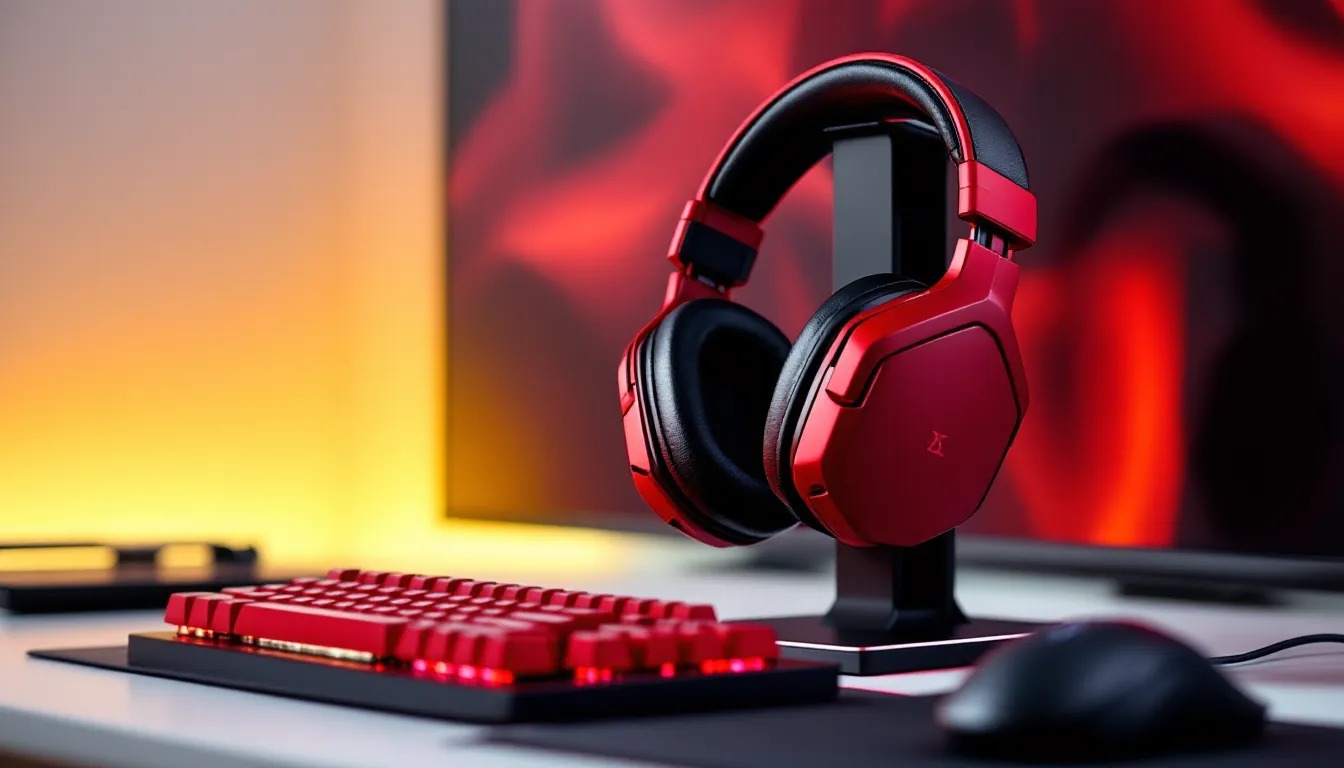
Red Gaming Headset: The Ultimate Guide to Finding Your Perfect Match in 2026
Not every gaming headset needs to blend into the background. While black and gray dominate the peripheral market, red gaming headsets carve out their own niche, bold, aggressive, and impossible to miss on your desk. Whether matching a crimson-themed battlestation or just gravitating toward gear that looks as intense as your gameplay, a red headset is more than decoration. It’s a statement.
But color alone doesn’t win matches. The best red gaming headsets balance aesthetics with performance: crisp audio, responsive mics, and comfort that lasts through marathon sessions. With dozens of models across every price bracket, picking the right one means knowing what actually matters. This guide breaks down everything from budget picks under $100 to premium options with spatial audio and low-latency wireless, all wrapped in that signature red finish.
Key Takeaways
- Red gaming headsets combine bold aesthetics with performance, offering audio quality, responsive mics, and comfort alongside their distinctive visual appeal.
- When choosing a red gaming headset, prioritize audio quality with 40–50mm drivers, noise-canceling mics, and comfort features like memory foam ear cups for extended gaming sessions.
- Wired red gaming headsets are budget-friendly with zero latency for competitive gaming, while wireless models with 2.4GHz dongles offer sub-2ms latency and freedom of movement.
- Top-tier options range from the HyperX Cloud II under $100 to premium models like the Audeze Maxwell with planar magnetic drivers and 80+ hour battery life around $330.
- Ensure cross-platform compatibility by choosing 3.5mm universal connections, USB dongles, or platform-specific wireless for seamless gaming across PC, PlayStation, Xbox, and Switch.
- Extend your red gaming headset’s lifespan by cleaning ear pads regularly, using velcro cable management, storing on a stand, and replacing wear parts like ear pad cushions when needed.
Why Choose a Red Gaming Headset?
Aesthetic Appeal and Gaming Setup Coordination
Red gaming headsets fit naturally into setups with matching peripherals, think red mechanical keyboards, crimson mouse pads, and RGB strips dialed to scarlet. Brands like HyperX, Razer, and SteelSeries offer coordinated product lines where a red headset completes the visual loop. The result is a cohesive battlestation that looks intentional, not thrown together.
Beyond brand ecosystems, red works as an accent color. A black-and-red setup is a classic combo that doesn’t scream “gamer” as loudly as full RGB rainbow puke. Streamers often leverage red headsets for on-camera presence, it pops against green screens and adds energy to facecam overlays without overwhelming the frame.
Psychological Impact of Red in Gaming Gear
Color psychology suggests red triggers heightened alertness and focus, which is why it’s everywhere in competitive gaming gear. Whether that translates to better performance is debatable, but there’s no denying red equipment feels more aggressive. It’s the color of health bars depleting, critical hits, and danger zones, wearing it reinforces that competitive mindset.
Some players just prefer gear that matches their energy. If your playstyle leans into fast-paced shooters, MOBAs, or anything that spikes your heart rate, a red headset visually aligns with that intensity. It’s not magic, but it’s also not just aesthetics.
Key Features to Look for in a Red Gaming Headset
Audio Quality and Surround Sound Capabilities
Drivers and frequency response determine how much detail reaches the ears. Most gaming headsets use 40mm or 50mm drivers: larger doesn’t always mean better, but it’s a decent baseline. Frequency response between 20Hz–20kHz covers the full human hearing range, though many headsets push beyond that for marketing reasons.
Surround sound comes in two flavors: virtual (software-based processing like DTS:X or Windows Sonic) and true multi-driver setups. Virtual surround is more common and works well for positional audio in shooters, hearing footsteps behind you in Warzone or pinpointing ability cues in Valorant can mean the difference between a clutch and a respawn. True surround headsets (7.1 with multiple drivers per ear) are rarer and often bulkier without massive gains.
Professional reviewers at RTINGS test headsets with frequency response graphs and isolation metrics, giving hard data on what marketing specs gloss over. Checking those measurements helps separate genuine audio quality from flashy branding.
Microphone Performance and Clarity
A mic that clips, distorts, or picks up every keyboard tap ruins team coordination. Look for noise-canceling or unidirectional mics that focus on your voice and reject background noise. Detachable or flip-to-mute designs add convenience, streamers especially benefit from boom mics that swing up and automatically mute.
Most built-in headset mics won’t rival a standalone XLR setup, but they should handle Discord comms and casual streaming without turning you into a garbled mess. If serious content creation is the goal, consider headsets with USB DACs or onboard audio processors that clean up the signal before it hits your PC.
Comfort and Build Quality for Extended Gaming Sessions
Ear cup design matters more than you think. Over-ear cups with memory foam and breathable fabric prevent the sweaty-ear feeling that hits around hour two. Leatherette looks premium but traps heat: velour or mesh is cooler for long sessions. On-ear designs are lighter but can cause pressure fatigue faster.
Headband padding and clamping force vary wildly. Too tight, and you’ll feel a vice grip: too loose, and the headset slides around during movement. Adjustable headbands with self-adjusting suspension (like SteelSeries’ Arctis series) distribute weight evenly.
Build quality separates a headset that lasts years from one that creaks and cracks after six months. Metal frames and reinforced hinges cost more but survive the inevitable desktop drops and bag tosses. Plastic isn’t a dealbreaker, good engineering matters more than material, but flexing joints and thin ear cup mounts are red flags.
Wired vs. Wireless Red Gaming Headsets
Wired headsets eliminate latency and battery anxiety. A 3.5mm jack or USB connection delivers consistent audio with zero delay, critical for rhythm games or competitive shooters where timing is everything. They’re also cheaper, no wireless tech means more budget for drivers and build quality. The downside is cable management and limited movement: snagging a cord mid-clutch is a uniquely frustrating way to lose a round.
Wireless headsets use 2.4GHz dongles or Bluetooth. Dongle-based models (like Logitech Lightspeed or HyperX’s wireless tech) offer sub-2ms latency, effectively indistinguishable from wired in most scenarios. Bluetooth is convenient for switching between PC and phone but introduces 100–200ms lag, making it unplayable for competitive gaming. Battery life ranges from 15 hours on budget models to 40+ on premium units, check reviews for real-world tests, as advertised numbers often assume moderate volume.
Range matters if you roam. Most 2.4GHz headsets work up to 30–40 feet through walls, enough to grab a drink without losing audio. Interference from Wi-Fi routers can cause dropouts, though modern models handle crowded signal environments better than older designs.
Which to choose? If you’re desk-locked and playing competitively, wired is safer and cheaper. If you value freedom and play a mix of single-player and multiplayer, wireless is worth the premium, assuming you remember to charge it.
Top Red Gaming Headsets for PC Gamers
PC gamers have the most options thanks to flexible connectivity and software ecosystems. Here are standouts across price tiers:
HyperX Cloud II (Red/Black)
A staple since 2015 and still relevant in 2026. 53mm drivers deliver punchy bass and clear mids, while the detachable mic handles comms without issues. The USB sound card enables virtual 7.1 surround, though purists often skip it and run stereo. Comfort is excellent, memory foam ear cups and an aluminum frame that flexes without creaking. Wired-only, but that keeps it under $100.
SteelSeries Arctis Nova Pro (Dragon Red Edition)
High-end wireless with swappable batteries, meaning infinite playtime if you keep a spare charged. Active noise cancellation blocks out household noise, and the GameDAC gives granular EQ control via a desk-mounted OLED hub. The red colorway is subtle, black base with red accents, so it doesn’t scream for attention. Retractable ClearCast Gen 2 mic rivals standalone options. Expect to pay around $350.
Razer BlackShark V2 (Red Special Edition)
Esports-focused wired headset with THX Spatial Audio and Razer’s TriForce Titanium 50mm drivers. The closed-back design isolates well, and at 262g, it’s among the lightest in its class. Detachable HyperClear mic and dense memory foam make it comfortable for 6+ hour sessions. USB sound card included. Typically $100–$120.
Logitech G Pro X Wireless (Red variant)
Lightspeed wireless with Blue VO.CE mic filters that remove background noise and compress audio for broadcast-quality comms. Leatherette and cloth ear pads included, letting you swap based on climate. Battery lasts 20+ hours, and the suspension headband reduces hotspots. A favorite among pros: see it often in tournament setups. Around $200.
Best Red Gaming Headsets for Console Players
PlayStation-Compatible Options
PS5 and PS4 work with any USB or 3.5mm headset, but Tempest 3D Audio benefits from headsets tuned for spatial sound.
Sony Pulse 3D Wireless (Midnight Red Edition)
Designed specifically for PS5’s Tempest engine. Dual mics with noise rejection, USB-C charging, and a sleek low-profile design. Battery hits about 12 hours, and the fit works well for medium-to-large heads. Also compatible with PC via dongle or 3.5mm. Price hovers around $100.
Turtle Beach Stealth 700 Gen 2 Max (Crimson)
Multi-platform wireless supporting PS5, PS4, Switch, and PC. Bluetooth lets you mix in phone audio while gaming. Battery life is stellar at 40+ hours, and Aerofit cooling gel ear cushions reduce heat. The flip-up mic mutes automatically. Runs about $150.
Xbox-Compatible Options
Xbox requires specific wireless protocols unless you’re using 3.5mm into the controller.
SteelSeries Arctis 9X (Red Trim)
Direct Xbox Wireless connection, no dongle needed. Bluetooth runs simultaneously for phone calls or music mixing. Retractable mic and 20-hour battery. The ski-goggle headband is polarizing: some love it, others find it slides around. Works with Xbox Series X
|
S, Xbox One, and PC. Around $200.
Razer Kaira Pro (Quartz Red)
Xbox Wireless plus Bluetooth. HyperClear mic with noise suppression and EQ presets via Razer Audio app. Cooling gel cushions and a USB-C quick charge (15 min for 3 hours). Compatible with Xbox and PC: also works wired on PlayStation via 3.5mm. Typically $150.
Budget-Friendly Red Gaming Headsets Under $100
Affordable doesn’t have to mean sacrificing essentials. These models balance price and performance:
Corsair HS35 (Red)
Bare-bones stereo headset with 50mm neodymium drivers and a detachable unidirectional mic. No frills, no surround, no RGB, no wireless, but the build is solid for the price. Memory foam ear cups and cross-platform compatibility (PC, PS5, Xbox, Switch via 3.5mm). Typically $40–$50.
Redragon H510 Zeus (Red/Black)
Budget option with RGB lighting and surprisingly decent 53mm drivers. USB connection includes 7.1 virtual surround, and the mic is noise-canceling. Ear cups are a bit stiff initially but break in over time. Great starter headset for under $40.
EKSA E900 Pro (Red)
Wired USB headset with 50mm drivers and soft protein leather ear pads. In-line volume control and mic mute. The braided cable resists tangling, and the red LED accents add flair without draining your wallet. Around $30.
HyperX Cloud Stinger Core (Red)
Lightweight at 215g with decent passive noise isolation. Swivel-to-mute mic and adjustable steel sliders. Audio quality is entry-level but functional for casual gaming. Works across PC, consoles, and mobile. Hovers around $30–$40.
Technology reviewers at PCMag regularly benchmark budget headsets for value-per-dollar, making their comparisons useful when weighing trade-offs in this price range.
Premium Red Gaming Headsets for Serious Gamers
When budget isn’t the bottleneck, these headsets deliver flagship features:
Audeze Maxwell Wireless (Red Custom)
Planar magnetic drivers, uncommon in gaming headsets, deliver audiophile-grade clarity and bass extension. 90mm drivers dwarf typical gaming cans. Dual wireless (2.4GHz and Bluetooth) with 80+ hour battery life. Detachable boom mic with AI noise suppression. Heavy at 490g, so not for everyone, but the sound stage is unmatched. Around $330.
Astro A50 Wireless (Red Gen 5)
Dolby Atmos support and a base station that doubles as a charging dock. Fully customizable EQ via Astro Command Center. Flip-to-mute mic and 15-hour battery. The base station’s optical/USB connectivity makes setup clean for desk warriors. Xbox and PlayStation versions are separate models, make sure you buy the right one. Typically $300.
SteelSeries Arctis Pro + GameDAC (Dragon Red)
Hi-Res Audio certified with 40,000Hz frequency response. The GameDAC is a desk unit with an OLED screen showing live EQ, ChatMix, and volume. Swappable cables for flexibility, and the ClearCast bidirectional mic is tournament-grade. Wired-only, which keeps latency at zero. Around $250.
Beyerdynamic MMX 300 (Red Limited Edition)
German-engineered closed-back with Tesla drivers. Studio-monitor sound quality adapted for gaming. Condenser mic on a flexible boom. Built like a tank with replaceable parts, ear pads, cable, even the drivers can be serviced. Wired via 3.5mm or optional USB adapter. Premium price at $350+, but longevity justifies the cost.
RGB Lighting and Customization Options
RGB on a headset is divisive. Some love the glow: others see it as battery drain and added cost. If you’re team RGB, here’s what to expect:
Razer Chroma Integration
Razer headsets sync lighting with other Chroma-enabled peripherals. Set your entire desk to pulse red when health drops in compatible games, or cycle through color waves during idle. The Synapse software controls zones, effects, and brightness. Battery impact on wireless models is noticeable, expect 15–20% shorter runtime with RGB active.
Corsair iCUE RGB
Corsair’s ecosystem links headsets, keyboards, and mice. Create lighting profiles per game or let iCUE auto-switch based on what’s running. The Virtuoso RGB Wireless (available in red/black) showcases this with customizable ear cup lighting. Build quality is premium, with aluminum construction and memory foam. Runs about $180.
Static Red vs. RGB
Some headsets offer red LEDs without full RGB, think HyperX Cloud Alpha S or Redragon Zeus. These lock to a single color, saving battery and simplifying software. If your setup is already committed to red, static LEDs maintain the aesthetic without needing software control.
DIY Customization
Enthusiasts mod headsets with vinyl wraps, custom ear pads, or aftermarket cables. Sites like DBrand offer skins in various shades of red, letting you convert a black headset into a crimson one. Swapping ear pads (Brainwavz, Wicked Cushions) can improve comfort and tweak sound signature, thicker pads increase sound stage but reduce bass.
Compatibility Across Multiple Platforms
Most gamers own more than one platform. A headset that works seamlessly across PC, console, and mobile saves money and desk space.
Universal 3.5mm Compatibility
The safest bet. Any headset with a 3.5mm jack works on PC, PlayStation, Xbox (via controller), Switch, and mobile. You lose out on platform-specific features like Tempest 3D or Xbox Wireless, but plug-and-play simplicity is hard to beat. Examples: HyperX Cloud II, Razer BlackShark V2.
USB Dongles and Multi-Device Pairing
Some wireless headsets include multiple dongles or support pairing with several devices. The SteelSeries Arctis Nova 7 ships with a USB-C dongle for Switch/mobile and a USB-A for PC. Logitech G535 Lightspeed works across PC, PS5, and PS4 via a single dongle, no Xbox support due to proprietary wireless.
Bluetooth for Mobile/PC Hybrid Use
Headsets with simultaneous Bluetooth and 2.4GHz let you game on PC/console while taking calls from your phone. Turtle Beach Stealth 700 Gen 2 Max and SteelSeries Arctis 9X handle this well. Latency over Bluetooth makes it unusable for competitive gaming but fine for single-player or media.
Platform-Specific Limitations
Xbox wireless headsets rarely work natively on PlayStation and vice versa. PC almost always works with anything, making it the easiest platform for headset shopping. Switch supports USB and 3.5mm but lacks native Bluetooth headset support (requires a workaround adapter). Gaming hardware guides from TechRadar often include platform compatibility charts that save headaches before purchase.
How to Maintain and Care for Your Red Gaming Headset
Proper care extends lifespan and keeps your headset looking sharp instead of scuffed.
Cleaning Ear Pads and Headband
Remove ear pads if possible and wipe with a damp microfiber cloth. Avoid soaking, moisture damages foam and electronics. For stubborn grime, use isopropyl alcohol on a cloth (not directly on the headset). Velour pads can be vacuumed gently to remove dust. Leatherette tends to flake over time: treating it with leather conditioner every few months slows breakdown.
Cable Management
Coil cables loosely: tight wrapping stresses internal wiring and causes shorts. Use velcro straps instead of twist ties. For detachable cables, unplug during transport to prevent port damage. If a cable frays near the connector, heat shrink tubing or electrical tape buys extra life, but replacement is safer long-term.
Storage
Hang your headset on a stand or hook, don’t toss it on the desk where it’ll get knocked around. Stands also prevent headband deformation from resting under weight. If traveling, use a hard-shell case: foam inserts protect against drops.
Firmware and Software Updates
Wireless headsets receive firmware updates that fix bugs, improve battery life, or add features. Check the manufacturer’s app (Razer Synapse, Logitech G Hub, SteelSeries GG) periodically. Skipping updates can leave you with compatibility issues when new console firmware drops.
Battery Maintenance (Wireless Models)
Lithium-ion batteries degrade fastest when stored at 100% or 0%. If shelving a wireless headset for weeks, charge to 50–70%. Avoid leaving it on the charger 24/7: most lack smart charging that stops at 100%, leading to trickle charge wear.
Replacing Wear Parts
Ear pads and headband cushions wear out first. Many manufacturers sell official replacements: third-party options from Brainwavz or Wicked Cushions are cheaper and sometimes more comfortable. Mics and cables are also replaceable on modular headsets, check if yours supports it before tossing a headset over a broken mic.
Conclusion
A red gaming headset isn’t just about matching your RGB setup or making a visual statement, it’s about finding gear that performs where it counts. From budget-friendly wired options that nail the basics to premium wireless models with planar magnetic drivers and 80-hour batteries, there’s a red headset for every playstyle and budget.
Prioritize what matters for your gaming: low-latency wireless for competitive shooters, comfort for marathon sessions, or broadcast-quality mics for streaming. Platform compatibility and build quality separate headsets that last years from those that crack and creak after months.
Whether you’re coordinating a full battlestation aesthetic or just want gear that looks as aggressive as your K/D, the right red headset is out there. Don’t settle for a model that looks good but sounds mediocre, 2026’s lineup proves you can have both.