
The Best Fluffy Pancakes recipe you will fall in love with. Full of tips and tricks to help you make the best pancakes.
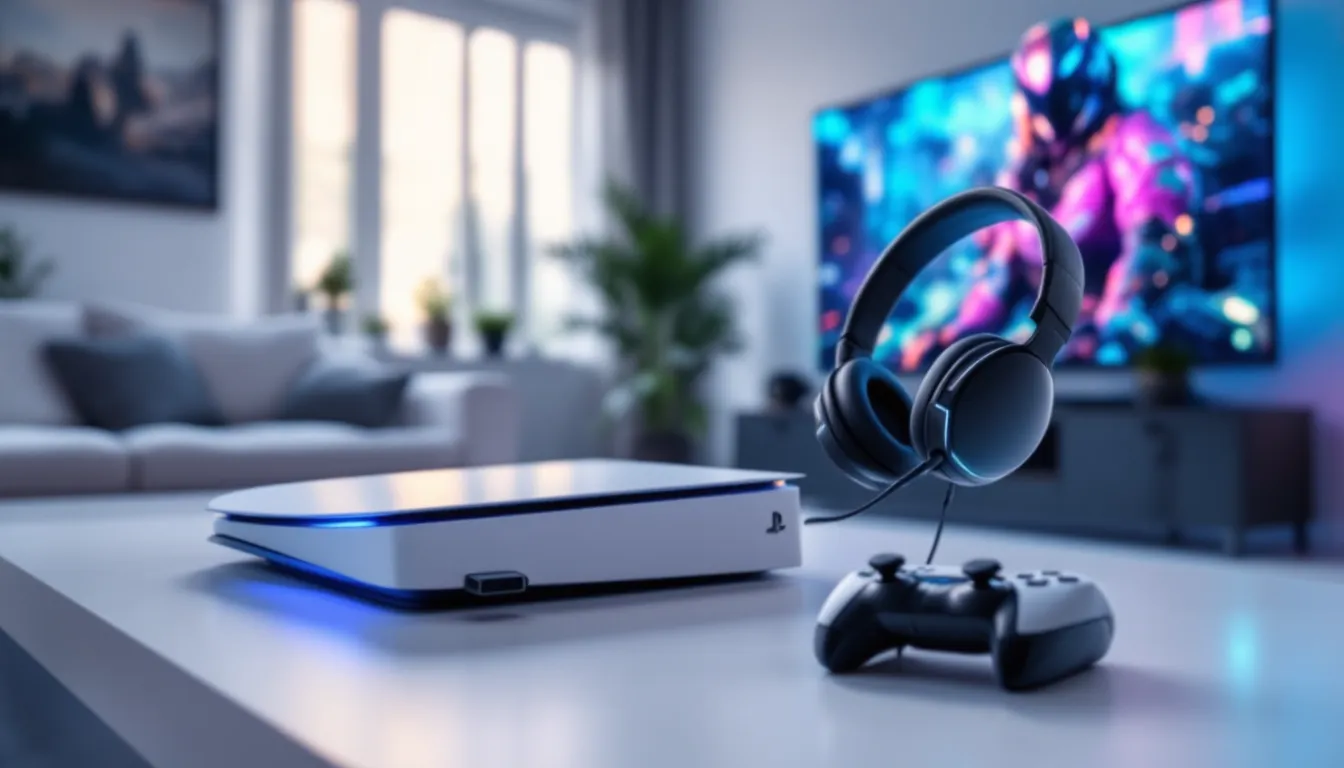
Best Wireless Gaming Headsets for PS5 in 2026: Ultimate Performance & Comfort Guide
Sony’s PS5 has become the console of choice for millions, and if you’re still gaming with TV speakers or a janky old wired headset, you’re missing out on half the experience. The console’s Tempest 3D AudioTech can pinpoint enemy footsteps behind you, immerse you in atmospheric soundscapes, and give you a legitimate competitive edge, but only if you’ve got the right gear.
Wireless gaming headsets for PS5 have evolved dramatically. In 2026, you’re no longer choosing between sound quality and freedom of movement, or between low latency and long battery life. The current generation delivers on all fronts, whether you’re grinding ranked matches in Call of Duty, exploring open worlds, or coordinating raids with your squad.
This guide breaks down everything you need to know: the tech that matters, the models worth your money across every budget, and how to squeeze every bit of performance from your setup. No fluff, just the specs and insights that’ll help you make the right call.
Key Takeaways
- Wireless gaming headsets for PS5 deliver low latency (15-25ms) and freedom of movement without sacrificing audio quality or battery life in 2026.
- Tempest 3D AudioTech requires a capable wireless headset to unlock spatial sound advantages that provide competitive benefits like pinpointing enemy positions.
- Prioritize 2.4GHz USB-C wireless dongles over Bluetooth for gaming, as Bluetooth introduces 100-200ms latency unsuitable for competitive play.
- Mid-range wireless PS5 headsets like the SteelSeries Arctis 7P+ ($169) and HyperX Cloud Alpha ($199) offer exceptional value with 30+ hour battery life and optimized drivers.
- Modern wireless gaming headsets are now viable for competitive esports due to imperceptible latency, making them practical for 99% of gamers who prioritize comfort and convenience.
- Proper configuration of PS5 audio settings, firmware updates, and battery maintenance will maximize your wireless headset’s performance and lifespan.
Why Wireless Headsets Are Essential for PS5 Gaming
The PS5 was designed from the ground up with immersive audio as a core pillar. That’s not marketing talk, the hardware and software working together can genuinely transform how you experience games. But to unlock that potential, you need a headset that can keep up.
Tempest 3D AudioTech and Spatial Sound Advantages
Tempest 3D AudioTech is Sony’s proprietary spatial audio engine, and it’s a game-changer for situational awareness. Unlike basic stereo sound, Tempest processes hundreds of audio sources simultaneously to create a three-dimensional soundscape. You’ll hear enemies approaching from above in Returnal, distinguish between distant gunfire and close threats in Warzone, and track audio cues with pinpoint accuracy.
Wireless headsets that support Tempest take full advantage of this tech without the cable management headaches. The PS5 outputs 3D audio through its USB-C port and via the Pulse 3D wireless protocol, meaning compatible wireless headsets receive the full spatial audio signal with zero compromise. Latency on modern wireless gaming headsets sits around 15-25ms, imperceptible during gameplay and well within competitive standards.
Most wireless models in 2026 also support additional spatial formats like Dolby Atmos and DTS Headphone:X, giving you flexibility across different game engines and sound designs. When a game natively supports Tempest, the difference is night and day compared to standard stereo output.
Freedom of Movement for VR and Couch Gaming
If you’ve tried playing PS VR2 with a wired headset, you already know the problem: cables become hazards. Wireless headsets eliminate that tangle entirely, letting you move freely during room-scale VR sessions without worrying about tripping or yanking the cord.
Beyond VR, wireless simply makes couch gaming more comfortable. You can shift positions, grab a drink, or lean back without tension on your neck. For longer sessions, raids, story games, endurance streams, that freedom adds up. Wireless range on 2026 models typically hits 30-50 feet with 2.4GHz dongles, so you can step away without removing the headset if you need to.
The trade-off used to be audio quality and latency, but modern wireless tech has closed that gap almost entirely. Unless you’re an audiophile chasing the absolute ceiling of fidelity, the convenience far outweighs any marginal loss.
Key Features to Look for in a PS5 Wireless Gaming Headset
Not all wireless headsets are created equal. Some prioritize battery life, others focus on audio fidelity, and a few try to do everything at once. Here’s what actually matters when shopping for a PS5 wireless headset in 2026.
Connection Types: USB-C Wireless Dongles vs Bluetooth
USB-C wireless dongles (2.4GHz) are the gold standard for gaming. They deliver low-latency audio (15-25ms) and a stable connection up to 50 feet. The PS5’s front USB-C port is perfect for these dongles, and most modern headsets ship with them.
Bluetooth, on the other hand, is convenient for casual listening and mobile compatibility but introduces 100-200ms of latency, enough to throw off timing in competitive shooters or rhythm games. Some hybrid models offer both connection types, letting you switch between low-latency dongle mode for gaming and Bluetooth for phone calls or music on the go.
For PS5 specifically, prioritize 2.4GHz wireless. Bluetooth is a nice bonus, not a replacement.
Battery Life and Quick Charging Capabilities
Battery life in 2026 typically ranges from 15 to 50+ hours depending on the model and features enabled (RGB lighting, ANC, and higher volumes drain faster). Anything below 20 hours feels limiting for marathon sessions, while 30+ hours is the sweet spot.
Look for headsets with quick charging, models that deliver 3-5 hours of playtime from a 15-minute charge are lifesavers when you forget to plug in overnight. USB-C charging has become standard, which is great for cable consolidation. Independent testing from RTINGS often measures real-world battery performance under gaming loads, which can differ significantly from manufacturer claims.
Audio Quality and Driver Size Considerations
Driver size isn’t everything, but it’s a useful starting point. Most gaming headsets use 40mm to 50mm drivers. Larger drivers generally produce deeper bass and better soundstage, but tuning and materials matter just as much.
For gaming, you want a balanced frequency response that doesn’t over-emphasize bass at the expense of mids and highs. Footsteps, reloads, and environmental cues sit in the mid-to-high range, so a V-shaped EQ (boosted bass and treble, scooped mids) can actually hurt competitive performance.
Look for headsets with EQ customization via companion apps. This lets you tailor sound profiles for different game types: boost mids for FPS, enhance bass for action games, or keep it neutral for story-driven titles.
Microphone Performance for Online Multiplayer
A great headset with a terrible mic is a dealbreaker if you play team-based games. In 2026, most wireless gaming headsets use either retractable boom mics or flip-to-mute designs, both of which outperform built-in mics.
Key specs to check:
- Frequency response: 100Hz-10kHz is standard for clear voice capture.
- Noise cancellation: Look for AI-powered noise suppression or cardioid patterns that reject background noise.
- Monitoring/sidetone: Lets you hear your own voice in the headset, preventing the “shouting into the void” effect.
A good boom mic should make your callouts clear without picking up every fan, keyboard click, or roommate conversation. Testing reviews from outlets like PCMag often include recorded mic samples, which reveal a lot more than spec sheets.
Comfort and Build Quality for Extended Sessions
Comfort is subjective, but a few factors are universal: clamping force, ear cup padding material, and weight.
Headsets over 350 grams start to feel heavy after a few hours. Memory foam ear cushions (with leatherette or breathable mesh) distribute pressure better than basic foam. Adjustable headbands with adequate padding prevent hot spots on the top of your head.
Build quality matters for longevity. Plastic frames are lighter but more prone to cracking: metal reinforcements add durability at the cost of weight. Check hinge and adjustment mechanisms, these are common failure points. A two-year warranty is a good sign the manufacturer stands behind their product.
Top Wireless Gaming Headsets for PS5 in 2026
Here’s the breakdown by budget tier, with models that deliver where it counts. All prices and specs are current as of March 2026.
Premium Tier: High-End Options for Serious Gamers
If you want the absolute best in audio fidelity, build quality, and features, these are the headsets to consider:
- SteelSeries Arctis Nova Pro Wireless – $349
Dual-battery system (hot-swappable), active noise cancellation, premium drivers with detailed soundstage, and simultaneous 2.4GHz + Bluetooth. The OLED base station offers quick EQ switching. Battery life: 22 hours per charge (44 total with both batteries). Weighs 340g. Best for players who want flagship performance and don’t mind the price.
- Audeze Maxwell – $329
Planar magnetic drivers deliver audiophile-grade clarity with minimal distortion. 80+ hour battery life is absurd for wireless. Supports both 2.4GHz and Bluetooth 5.3 with LDAC. Heavier at 490g, but the sound quality is unmatched in gaming headsets. Ideal for single-player immersion and competitive FPS alike.
- Sony Inzone H9 – $299
Sony’s own high-end wireless headset with native PS5 optimization and active noise cancellation. 360 Spatial Sound for Gaming works seamlessly with Tempest 3D AudioTech. 32-hour battery, quick charge (10 min = 1 hour), and superb comfort. The companion app offers granular EQ control. A top pick if you want guaranteed PS5 compatibility.
Mid-Range Champions: Best Value for Performance
These models punch well above their price, delivering premium features without the flagship cost:
- HyperX Cloud Alpha Wireless – $199
Legendary 300-hour battery life (seriously). Dual-chamber drivers provide excellent separation and bass response. DTS Headphone:X spatial audio, durable build, and comfortable for all-day wear. No frills, just rock-solid performance. Best value in this tier.
- SteelSeries Arctis 7P+ – $169
Specifically designed for PlayStation with optimized drivers for Tempest 3D. 30-hour battery, retractable mic, USB-C dongle, and lightweight at 310g. Clean, balanced sound profile. A strong all-rounder for PS5 players who don’t need extra bells and whistles.
- Razer Barracuda Pro – $249
Hybrid connectivity (2.4GHz + Bluetooth 5.2), THX spatial audio, and SmartSwitch for seamless device transitions. 40-hour battery and premium build quality. Works across PS5, PC, and mobile effortlessly. Great if you want one headset for everything.
Budget-Friendly Picks Under $100
You don’t have to expensive to get solid wireless audio:
- Sony Pulse 3D Wireless – $99
The official PS5 headset. Native Tempest 3D AudioTech support, 12-hour battery, and decent build quality. Comfortable ear cups and a reliable mic. Battery life is the main limitation, but at this price, it’s hard to beat for plug-and-play PS5 use.
- Logitech G535 Lightspeed – $129
Lightweight at 236g with 33-hour battery. Discord-certified mic and balanced 40mm drivers. Simple, effective, and comfortable for extended sessions. No RGB or extra features, just good wireless gaming audio.
- Corsair HS65 Wireless – $99
Surprisingly good mic quality and comfortable memory foam cushions. 24-hour battery and low-latency 2.4GHz connection. Build feels a bit plasticky, but performance is solid for the price.
How to Optimize Your Wireless Headset for PS5
Getting the most out of your wireless headset isn’t just about plugging it in and hoping for the best. The PS5 offers several audio settings and tweaks that can significantly improve your experience.
Configuring Audio Settings in the PS5 Control Center
Start by pressing the PS button and navigating to Sound > Output Device. Select your wireless headset from the list. Then head to Sound > Audio Output:
- Output Device: Set to your wireless headset.
- 3D Audio: Make sure this is enabled. It activates Tempest 3D AudioTech for spatial sound.
- Adjust 3D Audio Profile: Run the test to personalize spatial audio to your hearing. This measures your HRTF (head-related transfer function) and fine-tunes the audio positioning.
- Volume Control: You can adjust game audio and chat audio independently here. Set chat to a comfortable level so callouts don’t overpower game sounds.
For games that support it, check the in-game audio settings too. Titles like Call of Duty and Apex Legends have separate options for headphone/spatial audio modes. Enabling the “headphone” preset usually pairs best with 3D audio.
Reducing Latency and Interference Issues
Wireless headsets on 2.4GHz can occasionally suffer from interference, especially if you have a crowded WiFi environment or other wireless peripherals nearby.
To minimize issues:
- Position the dongle: Plug the USB-C dongle into the front port of the PS5. Avoid rear ports or USB hubs, direct line-of-sight helps.
- Reduce 2.4GHz clutter: Move WiFi routers, baby monitors, and Bluetooth devices away from your gaming setup if possible. If your router supports 5GHz WiFi, use that for your PS5 wired/wireless connection instead.
- Check for firmware updates: Both the PS5 and your headset may release firmware that improves connection stability or reduces latency.
If you experience crackling or dropouts, try toggling the headset off and on, or re-pairing the dongle by following the manufacturer’s instructions.
Firmware Updates and Companion App Features
Most wireless gaming headsets have companion apps (available on PC or mobile) that unlock additional features:
- EQ customization: Create profiles for FPS, RPGs, music, or movies.
- Mic monitoring (sidetone): Adjust how much of your own voice you hear.
- Battery status and alerts: Get notifications before the battery dies.
- Firmware updates: These can fix bugs, improve audio processing, or add new features.
For PlayStation-focused coverage, Push Square regularly updates their accessory guides with firmware news and troubleshooting tips. Check your headset manufacturer’s website every few months to ensure you’re running the latest version.
Wireless vs Wired: Which Is Better for Competitive Gaming?
This debate has raged for years, but the gap has closed significantly. In 2026, wireless latency on quality gaming headsets sits around 15-25ms, which is imperceptible in real-world gameplay. Even professional esports players now use wireless setups without performance concerns.
That said, wired headsets still have a slight edge in absolute consistency. There’s zero risk of battery dying mid-match, no interference, and latency is effectively 0ms. If you’re chasing every possible advantage in high-stakes ranked or tournament play, wired remains the purist’s choice.
For 99% of gamers, including most competitive players, modern wireless is more than good enough. The convenience and comfort benefits outweigh the marginal latency difference, especially on console where input lag from the TV or monitor is often a bigger factor than headset latency.
If you do want the best of both worlds, some models like the SteelSeries Arctis Nova Pro and HyperX Cloud Alpha Wireless support wired mode via USB-C or 3.5mm, letting you switch as needed.
Multi-Platform Compatibility: Using Your PS5 Headset Across Devices
One of the biggest advantages of modern wireless gaming headsets is their versatility. You don’t need a separate headset for every device, most 2.4GHz wireless models work seamlessly across multiple platforms with the right setup.
Cross-Compatibility with PC, Xbox, and Mobile
Most USB-C or USB-A wireless dongles are plug-and-play on PC. Just insert the dongle, install any companion software (optional but recommended for EQ and firmware), and you’re good to go. 2.4GHz wireless works identically on PC as it does on PS5.
**Xbox Series X
|
S** compatibility is trickier. Xbox doesn’t natively support standard USB wireless dongles, it requires Xbox Wireless protocol or a 3.5mm wired connection. Some headsets (like the SteelSeries Arctis 7X or Razer Kaira Pro) are specifically designed to work across PlayStation, Xbox, and PC via multiple connection modes.
For mobile, Bluetooth is your best bet. Hybrid headsets with both 2.4GHz and Bluetooth let you pair with your phone for calls, music, or mobile gaming. Latency over Bluetooth is too high for competitive gaming, but it’s fine for single-player titles or media consumption.
Nintendo Switch works with USB-C dongles when docked, but in handheld mode, you’ll need Bluetooth (Switch supports Bluetooth audio as of firmware 13.0.0+).
Switching Between Devices Seamlessly
If your headset supports multi-point Bluetooth or dual wireless, you can stay connected to multiple devices at once. For example:
- Game on PS5 via 2.4GHz dongle.
- Receive a phone call via Bluetooth without removing the headset.
- Pause, take the call, then resume gaming.
Models like the Razer Barracuda Pro and SteelSeries Arctis Nova Pro Wireless excel at this. SmartSwitch or similar features let you toggle between devices with a button press.
If your headset only supports one connection at a time, you’ll need to manually disconnect and reconnect when switching devices. It’s not a dealbreaker, but multi-device support is a quality-of-life upgrade worth considering if you game across platforms.
Common Issues and Troubleshooting Tips
Even the best wireless headsets can run into occasional hiccups. Here’s how to fix the most common problems.
Fixing Connection Drops and Audio Cutouts
If your headset keeps disconnecting or the audio cuts in and out:
- Re-pair the dongle: Turn off the headset, unplug the dongle, plug it back in, and turn the headset back on. Many headsets have a pairing button (hold for 5-10 seconds).
- Move the dongle closer: If it’s plugged into a rear USB port or USB hub, move it to the front USB-C port for better line-of-sight.
- Check for interference: Move other 2.4GHz devices (routers, wireless controllers, baby monitors) away from the console.
- Update firmware: Both the PS5 system software and your headset firmware should be current. Check the manufacturer’s website or companion app.
- Low battery: Even if the battery indicator shows some charge, try fully charging the headset. Some models reduce wireless range or stability at low battery levels.
If problems persist, the dongle itself might be faulty. Contact the manufacturer for a replacement, most will send a new dongle under warranty.
Resolving Microphone Not Working Problems
If your squad can’t hear you:
- Mute button: Check the physical mute switch on the headset. Sounds obvious, but it happens.
- Flip-to-mute design: Some boom mics mute when flipped up. Make sure it’s in the down position.
- PS5 settings: Go to Sound > Microphone > Input Device and make sure your headset is selected. Check the microphone level and adjust if it’s too low.
- Chat audio settings: In-game chat settings can override PS5 settings. Check the game’s audio menu to ensure voice chat is enabled and the correct input is selected.
- Firmware update: Microphone issues are occasionally fixed via firmware patches. Check for updates.
- Test on another device: Plug the headset into a PC or phone to see if the mic works there. If it does, the issue is likely a PS5 setting. If it doesn’t, the mic itself may be faulty.
If the mic still doesn’t work after trying these steps, and it’s not working on any device, you likely have a hardware defect. Contact support for a replacement or repair.
Maintaining and Extending Your Headset’s Lifespan
A quality wireless headset is an investment, and with proper care, it should last years. Here’s how to keep yours in top shape.
Battery health is the biggest factor in long-term performance. Lithium-ion batteries degrade over time, but you can slow the process:
- Avoid letting the battery fully drain regularly. Charge it when it hits 20-30%.
- Don’t leave it plugged in 24/7. Once it hits 100%, unplug it.
- Store the headset at room temperature. Extreme heat or cold accelerates battery degradation.
After 2-3 years, expect battery life to drop by 20-30%. Some models have user-replaceable batteries, but most don’t, check before you buy if this is a concern.
Cleaning prevents buildup of oils, sweat, and dust that can degrade materials and affect sound quality:
- Wipe down ear cushions with a slightly damp cloth (not soaking wet) every week or two.
- For leatherette cushions, use a mild soap solution occasionally. Let them air dry completely before use.
- Clean the mic boom with a dry cloth or gentle alcohol wipe. Avoid getting moisture in the mic port.
- Dust the drivers and mesh grilles with a soft brush or compressed air (low pressure).
Storage matters too. Don’t toss your headset in a pile of cables or leave it on the floor where it can get stepped on. A headset stand or hook keeps the headband from bending and the cushions from flattening. If you travel, use a hard case to protect against drops and pressure.
Cable care (even for wireless models with charging cables): Avoid yanking the cable by the cord, always pull from the plug. Coil cables loosely to prevent internal wire damage. If your headset supports both wireless and wired modes, rotate between them occasionally to ensure all connections stay functional.
Finally, check warranty terms before you buy. A two-year warranty is standard for mid-to-premium models. Some manufacturers offer extended coverage or accidental damage protection, worth considering if you’re clumsy or game in high-traffic areas.
Conclusion
Choosing the right wireless gaming headset for PS5 in 2026 comes down to understanding what you actually need. If you’re chasing every competitive edge and have the budget, the premium models deliver exceptional audio, battery life, and build quality. If you want the sweet spot of performance and value, the mid-range tier offers everything most gamers need. And if you’re on a tighter budget, there are solid options under $100 that still provide a meaningful upgrade over TV speakers or basic earbuds.
Whichever route you go, prioritize low-latency 2.4GHz wireless for gaming, pay attention to battery life and comfort for longer sessions, and don’t overlook mic quality if you play online. The PS5’s Tempest 3D AudioTech is genuinely impressive when paired with a capable headset, it’s not just hype.
Take the time to configure your audio settings, keep firmware updated, and maintain your gear properly. A wireless headset that fits your playstyle and budget will dramatically improve your gaming experience, whether you’re grinding ranked, exploring sprawling RPGs, or just vibing with friends in party chat.