
The Best Fluffy Pancakes recipe you will fall in love with. Full of tips and tricks to help you make the best pancakes.
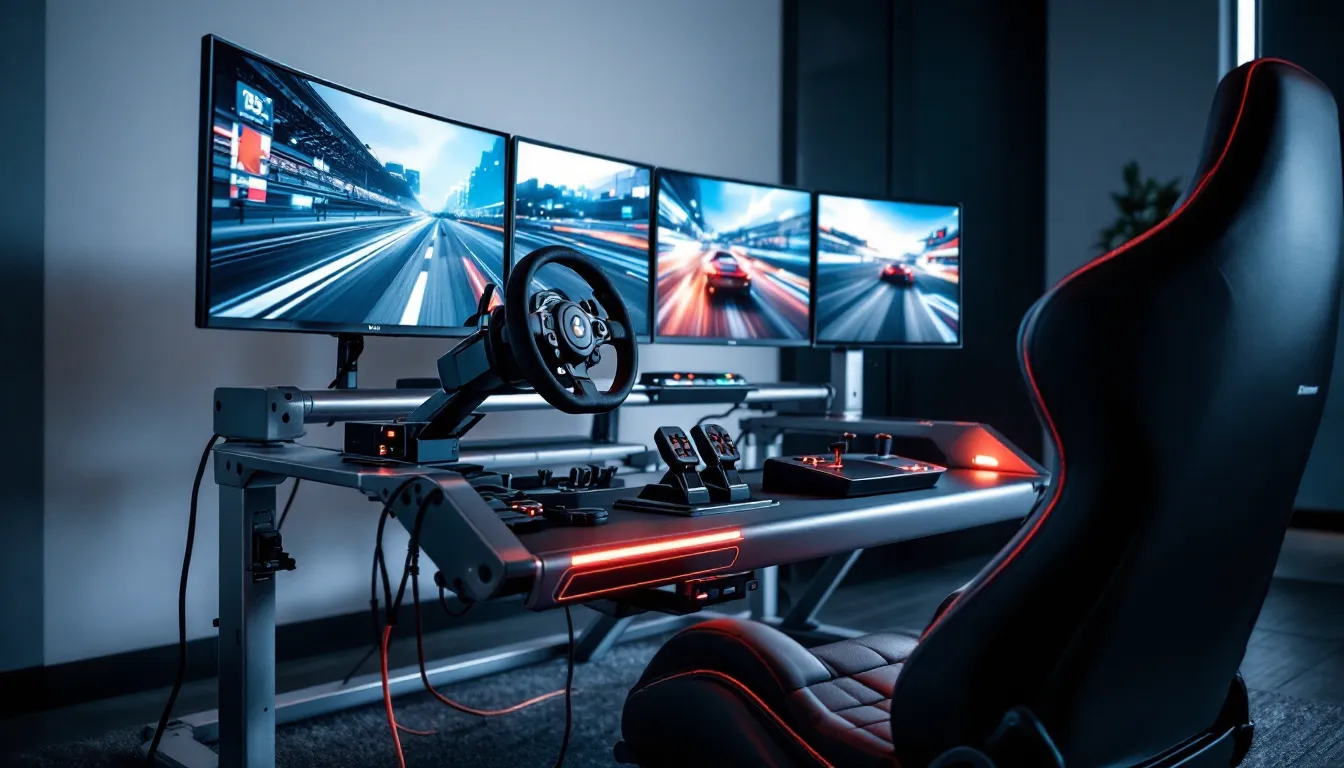
Driving Gaming Setup: The Ultimate Guide to Building Your Sim Racing Rig in 2026
Building a proper driving gaming setup isn’t just about slapping a wheel onto your desk and calling it a day. The difference between a half-baked rig and one that genuinely makes you faster, and more immersed, comes down to hardware choices, positioning, and how well everything integrates with your chosen platform. Whether you’re chasing podium finishes in iRacing or drifting through mountain passes in Assetto Corsa, your setup directly impacts lap times, consistency, and how long you can drive before fatigue kicks in.
The sim racing scene has exploded over the past few years, and 2026 has brought even more hardware options, from budget-friendly bundles to direct-drive wheels that cost as much as used cars. This guide breaks down everything you need to know: the essential components, how to choose gear that matches your budget and goals, and the setup mistakes that’ll cost you seconds per lap. We’ll also cover the gaming racing setup side, because not everyone wants full simulation. Some drivers just want to have fun without worrying about tire compounds and brake temps.
Key Takeaways
- A driving gaming setup centers on force feedback wheels, load-cell brake pedals, and a rigid cockpit frame—prioritizing pedal quality over wheel torque will improve your consistency more than chasing specs.
- Entry-level setups under $500 are viable starting points, but mid-range builds ($500–$1,500) with belt-driven or direct-drive wheels deliver the best value for serious drivers.
- Proper seating ergonomics, wheel height, and pedal angles are critical for reducing fatigue and building muscle memory; test and adjust positioning before upgrading hardware.
- PC gaming offers superior sim racing compatibility and performance compared to consoles, supporting iRacing, ACC, and rFactor 2 with advanced FFB tuning and telemetry integration.
- Triple monitor setups outperform single screens and VR for competitive endurance racing due to better spatial awareness and comfort over long sessions.
- Common mistakes like skipping load-cell pedals, using flexible desk mounts, and over-torquing force feedback cost you lap time—invest in fundamentals before chasing premium hardware.
What Is a Driving Gaming Setup?
A driving gaming setup is a dedicated configuration of hardware designed to simulate the experience of driving or racing a vehicle in video games. At its core, it includes a racing wheel with force feedback, pedals, and a stable mounting solution. More advanced rigs add shifters, handbrakes, racing seats, motion platforms, and multi-monitor or VR displays.
The term covers a spectrum. On one end, you’ve got casual setups, a Logitech G29 clamped to a desk, paired with the pedals on the floor. On the other, there are full cockpits with direct-drive wheels, hydraulic pedals, motion actuators, and triple 32-inch curved monitors running at 240Hz. Both are driving gaming setups, but they deliver vastly different experiences.
What separates a driving gaming setup from a standard gaming rig is the tactile feedback loop. Force feedback wheels translate road texture, weight transfer, and tire slip into your hands. Load-cell brake pedals let you brake by pressure instead of distance, just like a real car. Proper seating position and pedal angles reduce fatigue and improve consistency. These elements combine to create muscle memory that translates across games, and sometimes even to real-world track driving.
The goal isn’t always realism. Some setups prioritize arcade-style fun with titles like Forza Horizon or Need for Speed, where responsiveness and comfort matter more than millimeter-perfect pedal travel. Others chase full simulation, where every input must be precise and the rig needs to support heel-toe downshifts, clutch bite points, and force feedback strong enough to fight back mid-corner.
Essential Components of a Complete Driving Gaming Setup
Building a complete rig means understanding what each component does and how they work together. Skip one piece, and you’ll feel it in your lap times or comfort.
Racing Wheels and Force Feedback Systems
The wheel is the centerpiece. Force feedback (FFB) is non-negotiable for anything beyond casual driving. FFB motors simulate road feel, tire grip, and weight transfer by applying torque to the wheel. Stronger motors deliver more detail and faster response, which is why direct-drive (DD) wheels dominate the competitive scene.
There are three main motor types:
- Gear-driven: Found in entry-level wheels like the Logitech G29 and Thrustmaster T128. Affordable but prone to notchy feel and limited torque (around 2-3 Nm).
- Belt-driven: Mid-range options like the Thrustmaster T300 or T818. Smoother than gear-driven, with 4-6 Nm of torque. Good balance of cost and performance.
- Direct-drive: High-end wheelbase systems from Fanatec, Moza, Simagic, and Simucube. Torque ranges from 5 Nm (entry DD) to 25+ Nm (professional-grade). Zero mechanical slack, ultra-responsive, and capable of communicating tire slip in real time.
Wheel diameter and rim material also matter. Smaller rims (270-280mm) suit open-wheel or rally cars. Larger rims (300-330mm) match GT and touring cars. Alcantara, suede, or leather grips improve feel but wear faster than rubber or plastic.
Pedals: Two-Pedal vs. Three-Pedal Configurations
Pedals are where most beginners underinvest, and where experienced sim racers upgrade first. Stock pedals bundled with entry wheels use potentiometers and light springs. They work, but they don’t teach proper brake modulation.
Two-pedal setups (throttle and brake) are common in arcade racing or on consoles where many games don’t support clutch and H-pattern shifting. They’re simpler and cheaper, but you’re missing out on the full simulation experience.
Three-pedal configurations add a clutch, enabling manual shifting with an H-pattern or sequential shifter. Most serious sim racers opt for three pedals, even if they don’t use the clutch in every car. The key upgrade here is a load-cell brake, which measures force instead of travel distance. This lets you brake consistently by feel, just like a real car. Hydraulic pedal systems take it further, using actual brake fluid for even more realistic resistance.
High-end pedal sets (Heusinkveld, Simtag, VRS) offer adjustable pedal angles, replaceable springs, and modular designs. They’re overkill for most, but if you’re chasing tenths of a second, they’re worth it.
Shifters and Handbrakes
Shifters come in two flavors: H-pattern and sequential. H-pattern shifters mimic traditional manual gearboxes, with a clutch and defined gates for each gear. They’re essential for driving older race cars, rally cars, or street vehicles in sims like Assetto Corsa or BeamNG.
Sequential shifters use a push-pull mechanism, push forward to upshift, pull back to downshift. They’re faster and used in modern race cars, GT3s, and formula cars. Some shifters, like the Thrustmaster TH8A or Fanatec ClubSport Shifter, offer both modes.
Handbrakes are niche but critical for rally and drift setups. They mount separately (usually next to the seat or shifter) and add analog or digital input for initiating slides or tight hairpins. Not required for circuit racing, but if you’re serious about rallying or drifting, they’re non-negotiable.
Racing Seats and Cockpit Frames
A stable cockpit frame transforms your setup from “functional” to “competitive.” Desk-mounted wheels flex under heavy FFB, especially during quick direction changes. A dedicated rig eliminates that.
Racing seats should be fixed-back (not office chairs) with decent lumbar support. Real bucket seats pulled from race cars or replicas (from brands like Sparco, Recaro, or NRG) look cool and offer excellent support, but they’re pricey. Sim-specific seats from Playseat, Next Level Racing, or GT Omega balance comfort, support, and cost.
Cockpit frames range from basic wheel stands to full aluminum extrusion rigs:
- Wheel stands (Wheel Stand Pro, Next Level Racing Wheel Stand): Portable, affordable, but still flex under high torque.
- Hybrid rigs (Playseat Challenge, Next Level Racing GT Lite): Foldable, decent rigidity, good for limited space.
- Aluminum profile rigs (Sim-Lab, Rigmetal, Trak Racer): Fully adjustable, rock-solid, and modular. These are the gold standard for serious sim racers.
Proper seating position isn’t just comfort, it’s consistency. If your wheel, pedals, and shifter aren’t locked into repeatable positions, your inputs won’t be either.
Choosing the Right Hardware for Your Budget
Budget determines hardware tier, but it shouldn’t limit your experience if you prioritize correctly. The key is knowing where to spend and where to save.
Entry-Level Setups Under $500
This range is tight, but doable. You’re looking at a Logitech G29 or G923 (PS/PC) or Logitech G920 (Xbox/PC) as your wheelbase and pedal combo. Both deliver 2.2 Nm of FFB via gear-driven motors. They’re loud, notchy, and lack the fidelity of higher-end wheels, but they’re durable and widely compatible.
Pedals are basic potentiometer-based units with light springs. The brake pedal benefits from a rubber mod (included with the G29/G923) to add resistance. Some users also swap in stiffer springs or 3D-printed mods to improve feel.
For mounting, the Wheel Stand Pro or a DIY solution (plywood and pipe clamps) keeps costs down. Skip the shifter for now unless you find a used Logitech unit cheap. Focus on getting the wheel and pedals stable first.
Sample entry build:
- Logitech G29 or G920: ~$250-$300
- Wheel Stand Pro: ~$150
- Total: ~$400-$450
You’ll outgrow this quickly if sim racing sticks, but it’s a solid starting point.
Mid-Range Setups: $500-$1500
This is the sweet spot for most sim racers. You get belt-driven or entry-level direct-drive FFB, load-cell brakes, and a proper cockpit.
Thrustmaster T300 RS GT or T248 (belt-driven, ~4-6 Nm FFB) pairs well with upgraded pedals like the Thrustmaster T-LCM (load-cell brake). Alternatively, the Moza R5 or Fanatec CSL DD (5-8 Nm direct-drive) offers a noticeable jump in detail and responsiveness for around $400-$600 depending on bundle.
Pedals make a bigger difference here than wheel torque for most drivers. Investing in Fanatec CSL Pedals with Load Cell Kit or Moza CRP pedals improves brake consistency dramatically. Many racers running pro player settings prioritize pedal upgrades over wheelbase torque for this exact reason.
Cockpit frames in this range include the Next Level Racing GT Track or GT Omega ART. Both are aluminum profile designs with enough rigidity for 8+ Nm wheelbases.
Sample mid-range build:
- Moza R5 bundle (wheel + base): ~$500
- Moza CRP pedals (load-cell brake): ~$200
- GT Omega ART cockpit: ~$400
- Total: ~$1,100
Add a shifter or handbrake later as needed. This setup handles everything from Forza Motorsport to ACC with zero compromises.
Premium and Professional-Grade Setups
Once you cross $1,500, you’re building a rig that rivals what esports drivers and real-world racers use for practice. Direct-drive wheelbases from Fanatec DD1/DD2 (15-25 Nm), Simagic Alpha/Ultimate (15-30 Nm), or Simucube 2 Pro/Ultimate (17-32 Nm) deliver force feedback that’s borderline violent if cranked up. You’ll feel individual kerb edges, tire flex, and suspension travel.
Hydraulic pedals from Heusinkveld Sprint or Ultimate+ use actual fluid damping and adjustable pressure curves. Brake force can be tuned to match specific cars or personal preference. Some sets even allow separate adjustment per pedal for angle, height, and resistance.
Cockpits in this tier are full aluminum extrusion rigs from Sim-Lab (GT1-Evo, P1-X) or Rigmetal. They’re modular, allowing you to mount monitors, keyboard trays, button boxes, and motion actuators without flex.
Sample premium build:
- Simagic Alpha Ultimate (25 Nm): ~$1,200
- Simagic P2000 hydraulic pedals: ~$800
- Sim-Lab GT1-Evo cockpit: ~$600
- Sparco racing seat: ~$400
- Total: ~$3,000+
This is where diminishing returns kick in. The jump from mid-range to premium is noticeable, but most lap time gains come from practice, not hardware.
Display Options: Monitors vs. VR Headsets
Your display choice affects immersion, depth perception, and frame rate requirements. There’s no universal answer, triples, single screens, and VR all have pros and cons.
Single Monitor vs. Triple Monitor Configurations
A single monitor is the most common starting point. A 27-32 inch display at 1440p or 4K, running 144-240Hz, delivers sharp visuals and high frame rates without killing your GPU. The downside? Limited field of view (FOV). You can’t see apex markers or cars alongside you without looking (which breaks immersion and costs time).
Triple monitor setups solve the FOV problem by wrapping screens around your peripheral vision. Three 27-32 inch monitors in a curved or angled configuration provide a realistic FOV (typically 120-180 degrees depending on angle and distance). You’ll spot dive bombs, track limits, and brake markers naturally.
The tradeoffs:
- Cost: Three monitors, mounts, and the GPU horsepower to drive them add up fast.
- Space: You need at least 5-6 feet of desk or cockpit width.
- Performance: Rendering triple 1440p displays at high refresh rates demands a high-end GPU (RTX 4080, 4090, or AMD equivalent). Testing from Tom’s Hardware shows that even the RTX 4080 dips below 100 FPS in iRacing or ACC at max settings across three screens.
Triples are the gold standard for competitive sim racing. Most esports drivers and serious league racers run them because depth perception and spatial awareness beat VR for consistency over long stints.
VR Gaming for Maximum Immersion
VR headsets deliver unmatched immersion. Looking into corners, checking mirrors, and judging braking distances feel completely natural. Depth perception is real, not approximated, and the sense of speed is visceral.
Current top headsets for sim racing:
- Meta Quest 3: Standalone or PCVR, wireless, decent resolution (2064×2208 per eye), affordable (~$500). Compression artifacts over wireless hurt visual clarity slightly.
- Valve Index: High refresh rate (up to 144Hz), excellent tracking, but lower resolution (1440×1600 per eye). Still a favorite for fast-paced racing.
- Bigscreen Beyond: Ultra-lightweight, OLED panels, custom fit. Expensive (~$1,000) but offers exceptional clarity and comfort for long sessions.
- Pimax Crystal: High resolution (2880×2880 per eye), wide FOV. Heavy and finicky but visually stunning.
VR downsides:
- Motion sickness: Some drivers adapt quickly, others never do. Start with short sessions.
- Endurance: Wearing a headset for 2+ hour races gets uncomfortable. Heat and pressure on your face build up.
- Performance: VR demands high, stable frame rates (90+ FPS minimum). Reprojection and stuttering ruin immersion and make you slower.
- UI interaction: Adjusting settings, navigating menus, or using voice comms is clunkier in VR.
For hotlapping or short races, VR is unbeatable. For endurance racing or competitive league events, triples still edge ahead due to comfort and consistency.
Setting Up Your Driving Rig: Installation and Positioning
Hardware alone doesn’t make a good rig. Positioning, angles, and ergonomics determine whether you’re comfortable and consistent or fighting your setup every lap.
Optimal Seating Position and Ergonomics
Start with seat position. Your seat angle should mimic the car type you drive most:
- Formula/open-wheel: More reclined (25-35 degrees), legs extended, wheel closer to chest.
- GT/touring cars: Upright (10-20 degrees), knees bent ~90-120 degrees, wheel at arm’s length.
- Rally: Similar to GT but slightly more upright for quicker inputs.
Once the seat angle is set, adjust pedal distance. Your legs should have a slight bend at full brake or clutch travel, never fully locked out. This reduces fatigue and gives you finer control over modulation.
Wheel height and distance come next. With your back against the seat, your wrists should rest on top of the wheel rim when your arms are fully extended. When gripping the wheel at 9-and-3, your elbows should have a slight bend (roughly 120-150 degrees). This position maximizes leverage and minimizes shoulder fatigue.
Shifter placement depends on type. H-pattern shifters sit to your right (or left for right-hand-drive sims), positioned so you can shift without leaning or stretching. Sequential shifters can mount on the wheel hub, behind the wheel, or on the cockpit frame next to your thigh, preference varies.
Wheel and Pedal Placement
Pedal angle is critical and often overlooked. Real race cars have pedals angled to match the driver’s leg and foot position, not flat on the floor. Most aluminum-profile rigs allow pedal tilt adjustment. Aim for a natural ankle angle where your heel can rest (on a heel plate or the floor) while your toes control the pedals.
Pedal spacing should match your driving style. Closer spacing (narrow pedal faces) suits heel-toe downshifts. Wider spacing works if you’re only using two pedals or don’t heel-toe often.
Wheel alignment matters for FFB feel. The wheelbase should be rigidly mounted with zero flex. Even minor movement during hard cornering introduces slop and dulls feedback. If using an aluminum rig, torque down all bolts and consider adding bracing if you’re running 15+ Nm of torque.
Don’t ignore monitor or screen distance. For single or triple screens, the ideal distance is close enough that you can read HUD elements without squinting but far enough that your eyes don’t strain tracking motion. Roughly 24-30 inches from your eyes to the center screen works for most.
Cable Management and Power Considerations
Sim rigs generate a rat’s nest of cables: wheel USB, pedal USB or RJ12, shifter USB, power bricks for the wheelbase, monitor cables, and peripherals. Poor cable management isn’t just ugly, it’s a trip hazard and can cause disconnects mid-race.
Run cables along the cockpit frame using zip ties, velcro straps, or cable channels. Keep power cables separate from USB/data cables to reduce electrical interference (rare, but it happens with cheap wheelbase PSUs).
Most direct-drive wheelbases pull 200-400W under load. Add monitors, PC, and peripherals, and you’re looking at 600-1,000W total draw. Use a surge protector rated for the load, and if you’re running motion or bass shakers, consider a dedicated circuit to avoid tripping breakers.
PC vs. Console: Platform Considerations for Sim Racing
Platform choice shapes hardware compatibility, game selection, and upgrade paths. PC offers the most flexibility and performance, but consoles have their place.
PC is the default for serious sim racing. It supports every major wheel, pedal, and peripheral brand. Games like iRacing, rFactor 2, Automobilista 2, and Assetto Corsa Competizione run better and offer more customization on PC. Frame rates are higher, VR performance is smoother, and you can tweak FFB settings per-game and per-car.
PC also supports overlays, telemetry apps (like Motec, SimHub, or Crew Chief), and third-party mods. You can run custom championships, install community-made tracks and cars, and fine-tune everything from tire model to weather progression.
The downside? Cost and complexity. A rig-capable gaming PC (RTX 4070 or better, recent CPU) starts around $1,200-$1,500. You’ll need to manage drivers, updates, and occasional troubleshooting. But if you’re serious about sim racing, PC is non-negotiable.
PlayStation 5 is the strongest console option. GT7 is a polished, accessible sim with excellent wheel support. ACC runs on PS5 but with lower frame rates and visual compromises compared to PC. Wheel compatibility is limited, Logitech, Thrustmaster, and Fanatec offer PS-licensed hardware, but many PC-only brands (Moza, Simagic, VRS) don’t work.
The PS5 is plug-and-play, with zero driver hassles. It’s great for casual sim racing or if you’re also using it for other gaming. But you’ll hit a ceiling quickly if you want telemetry, advanced FFB tuning, or access to PC-exclusive sims.
Xbox Series X/S lags behind. Forza Motorsport (2023) is the flagship title, and it’s solid but not a hardcore sim. Wheel support is decent (Logitech, Thrustmaster, Fanatec), but game selection is thinner than PC or PS5. If you already own an Xbox and want to dip into sim racing, it works. Otherwise, it’s hard to recommend over PC or PS5.
Cross-platform wheels exist (Fanatec’s CSL DD is compatible with PC, PS5, and Xbox with the right wheel rim), but most mid-to-high-end gear is PC-first or PC-only. If you’re investing $1,000+ into a rig, budget for a PC to get the most out of it.
Best Racing Games and Simulators for Your Setup
Your rig is only as good as the software driving it. The right game depends on whether you prioritize realism, competition, or fun.
Realistic Simulators for Hardcore Enthusiasts
These titles prioritize physics accuracy, tire modeling, and force feedback detail. They’re less forgiving but infinitely rewarding once you dial in your setup.
iRacing is the competitive standard. It’s a subscription-based service ($13/month or $110/year) with additional costs for cars and tracks (~$12-$15 each). The laser-scanned tracks, structured online racing (with safety ratings and ranked divisions), and active community make it the go-to for serious racers. FFB is excellent, and the tire model rewards smooth inputs. It’s also punishing, one mistake in a race can wreck your safety rating and take weeks to recover.
Assetto Corsa Competizione (ACC) focuses on GT3 and GT4 racing. It’s the official GT World Challenge sim, with licensed cars, tracks, and real-world weather data. The tire and aero models are among the best available, and FFB communicates understeer and slip beautifully. It’s less accessible than iRacing (steeper learning curve, fewer beginner-friendly features), but if you love GT racing, it’s essential.
rFactor 2 has the most advanced tire physics and dynamic track conditions. The surface rubbering in, temperature gradients, and wet-weather handling are unmatched. The UI is dated and mod quality varies wildly, but the driving feel is incredible. It’s a favorite among esports teams for practice and setup work.
Automobilista 2 combines rFactor 2’s physics engine with a broader car roster (everything from vintage F1 to modern GT3 to karts). It’s more accessible than rFactor 2, with better UI and a strong selection of Brazilian and historic tracks. If you want variety without sacrificing realism, AMS2 delivers. Reviews from PC Gamer consistently highlight its balance of sim depth and approachability.
BeamNG.drive isn’t a racing sim, it’s a physics sandbox. But its soft-body crash modeling and realistic vehicle dynamics make it a blast for rally, off-road, and casual driving. It’s not competitive, but it’s a great palate cleanser between serious races.
Arcade-Style Racing Games
Not every session needs to be a sweat-fest. Arcade racers are more forgiving, reward aggressive driving, and work great with wheels even if they’re designed for controllers.
Forza Horizon 5 is the king of open-world arcade racing. It supports wheels but doesn’t require one, the FFB is simplified compared to sims, but it’s fun and responsive. The car roster is massive (700+ cars), and the festival vibe keeps things light. Great for unwinding or introducing friends to your rig.
Forza Motorsport (2023) sits between sim and arcade. It has a decent tire model, adjustable assists, and solid wheel support. It’s not as punishing as ACC or iRacing but rewards clean driving and racecraft. Track selection is good, and the car progression system adds long-term goals.
Need for Speed Unbound and older NFS titles work with wheels but are controller-focused. If you grew up on Underground 2 or Most Wanted, running them on a wheel is a nostalgia trip. Don’t expect realism, but the fun factor is high.
Wreckfest is demolition derby meets racing. It’s chaotic, physics-based carnage with full wheel support. FFB is solid, and the damage modeling is hilarious. Not serious, but wildly entertaining with friends.
Upgrading and Customizing Your Driving Gaming Setup
Once your core rig is dialed in, you can chase the next level of immersion and performance with advanced upgrades.
Motion Simulators and Haptic Feedback
Motion simulators use actuators to tilt, heave, and surge your cockpit in response to in-game forces. They don’t replicate full G-forces (you’d need a centrifuge for that), but they do communicate weight transfer, bumps, and acceleration.
Entry-level motion platforms like the Next Level Racing Motion Platform V3 (~$1,500) offer 2-3 DOF (degrees of freedom), pitch and roll, sometimes yaw. They work with most rigs and add noticeable immersion, especially for rallying or off-road.
High-end systems from D-Box, SimXperience, or PT Actuator offer 4-6 DOF, with surge, sway, and heave. Pricing starts around $5,000 and climbs quickly. They’re game-changers for immersion but require serious space, mounting reinforcement, and software tuning. Setup is complex, and not every game supports telemetry output for motion.
Haptic feedback (bass shakers or transducers) is a cheaper alternative. Devices like ButtKicker or Dayton Audio exciters mount to your seat or pedal plate and vibrate in response to engine RPM, gear shifts, tire slip, or road texture. They add immersion for $100-$500 depending on setup. Software like SimHub translates game telemetry into tactile feedback, and the effect is immediate. You’ll feel gear changes, wheel lockups, and curb strikes through your seat.
Motion and haptic both help with car control. Feeling weight transfer or tire slip through your body, not just your hands, speeds up reaction times and improves consistency.
Button Boxes and Dashboard Displays
Button boxes add dedicated controls for functions like ignition, pit speed limiter, brake bias, traction control, or headlights. Instead of fumbling with keyboard shortcuts mid-race, you flip a switch or turn a rotary encoder.
Brands like Derek Speare Designs, Cube Controls, or SimRacingCoach offer both pre-built and DIY kits. Prices range from $50 (basic USB button box) to $500+ (custom magnetic switches, rotary encoders, and OLED displays).
Dashboard displays (like SimHub-compatible 7-inch touchscreens or Vocore screens) replace or supplement in-game HUDs. You can monitor RPM, gear, lap times, tire temps, and fuel without cluttering your main screen. They’re especially useful in VR, where reading small HUD elements is harder.
Some high-end wheel rims (Cube Controls, Ascher Racing) have built-in OLED or LED displays. They’re pricey but eliminate the need for external dash hardware.
Common Mistakes to Avoid When Building Your Rig
Even experienced sim racers screw up their first (or second) build. Here’s what to avoid.
Skimping on pedals. The most common mistake. A wheelbase with great FFB paired with garbage pedals is like putting racing slicks on a minivan. Brake consistency wins races, and you can’t get that with spongy, potentiometer-based pedals. If your budget is tight, get a mid-range wheel and great pedals, not the other way around.
Ignoring cockpit rigidity. Clamping a 10 Nm direct-drive wheel to a folding desk and expecting precision is wishful thinking. Flex in your mounting solution translates to slop in your inputs. If your wheel or pedals move under load, you’ll never be consistent. Budget for a proper rig or wheel stand from day one.
Over-torquing FFB. More torque doesn’t equal better driving. Running a 25 Nm wheelbase at full strength will just tire you out and mask subtle feedback details. Most esports drivers run 8-12 Nm in-game, even on hardware capable of double that. Start low, increase gradually, and find the sweet spot where you feel detail without fighting the wheel.
Poor seating position. Copying someone else’s measurements won’t work, everyone’s proportions differ. Spend an hour adjusting seat angle, pedal distance, and wheel height. Small changes make huge differences in comfort and control. If your back or shoulders hurt after a 30-minute session, your position is wrong.
Buying a shifter before you need it. H-pattern shifters are cool, but most modern race cars use sequential or paddle shifting. Unless you’re primarily driving vintage cars, rally, or drifting, a shifter can wait. Spend that budget on better pedals or a load-cell brake instead.
Chasing specs instead of experience. A $5,000 rig won’t make you fast. Seat time and racecraft matter infinitely more than torque numbers or pedal材质. Start with solid mid-range gear, learn to drive it properly, then upgrade when you’ve actually maxed out the hardware.
Not testing before buying. If possible, try equipment before committing. Sim racing expos, local sim cafes, or community meetups let you test wheels, pedals, and VR setups. What feels great to one driver might feel terrible to another. Hands-on time beats spec sheets every time.
Conclusion
Building a driving gaming setup is a process, not a one-time purchase. Start with the core components, a solid wheel, good pedals, and a stable mounting solution, then expand as your skills and budget grow. Whether you’re running a $400 entry rig or a $5,000 direct-drive monster with motion, the goal is the same: consistent, immersive driving that makes you faster and keeps you engaged.
The beauty of sim racing in 2026 is the accessibility. You don’t need a professional-grade setup to compete or have fun. What you do need is time behind the wheel, smart hardware choices, and a willingness to tweak, adjust, and refine. Get the basics right, positioning, FFB tuning, and brake feel, and the rest will follow. The podium is waiting.