
The Best Fluffy Pancakes recipe you will fall in love with. Full of tips and tricks to help you make the best pancakes.
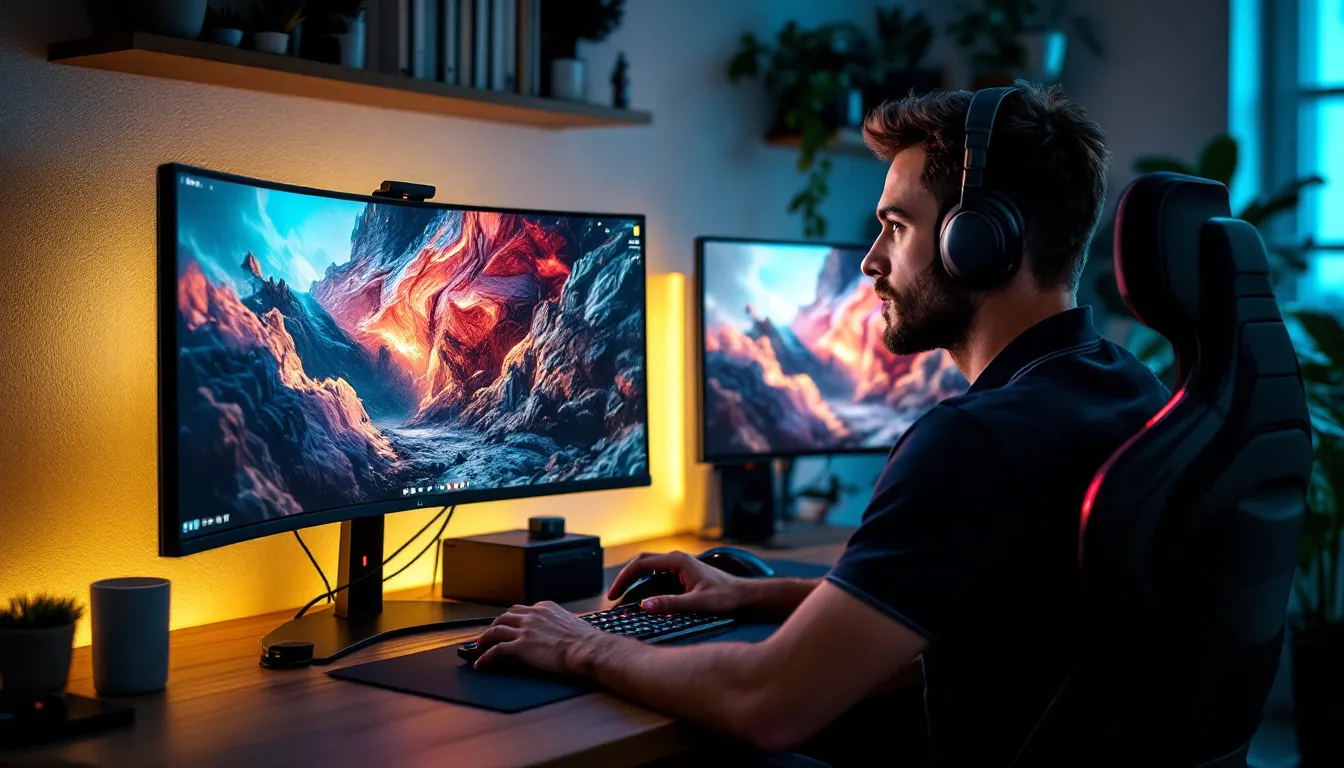
Is HDR Worth It for Gaming? The Complete 2026 Guide to Better Visuals
HDR has been a buzzword in gaming circles for years now, but the question remains: does it actually make enough difference to justify the investment? If you’ve been debating whether to upgrade your display or tweak your settings, you’re not alone. HDR promises deeper blacks, brighter highlights, and colors that pop off the screen, but the reality is more nuanced than the marketing materials suggest.
Whether you’re grinding competitive shooters, exploring open-world RPGs, or chasing the perfect screenshot in a photo mode, HDR can transform how games look and feel. But it comes with caveats: not all HDR is created equal, implementation varies wildly between titles, and the hardware requirements can get expensive fast. This guide breaks down everything you need to know about HDR gaming in 2026, from technical specs to real-world performance across platforms.
Key Takeaways
- HDR is worth it for gaming if you play visually-driven single-player games, open-world RPGs, horror titles, and story-driven experiences, but requires a quality display with adequate brightness and local dimming to justify the investment.
- Proper HDR gaming displays need at least 400 nits peak brightness (600+ recommended), VESA DisplayHDR 600 certification or higher, and full-array local dimming with 32+ zones to deliver meaningful visual improvements over SDR.
- HDR implementation varies wildly between game titles—even within the same franchise—so expect to calibrate settings for each game and risk encountering broken HDR that looks worse than SDR if developers treat it as an afterthought.
- Competitive gamers should prioritize high refresh rates and low input lag over HDR, since HDR processing adds 5-15ms of latency on many displays and doesn’t provide gameplay advantages in fast-paced shooters or fighting games.
- PlayStation 5 and Xbox Series X/S offer the most consistent plug-and-play HDR experience with automatic support for HDR10, while PC gaming provides maximum customization but requires more manual tweaking and has historically been more problematic.
- Quality HDR displays cost $500-2500+ depending on panel technology, making it important to avoid budget “HDR” monitors under $400 that barely exceed SDR capabilities and deliver minimal visual improvement for the price.
What Is HDR and How Does It Work in Gaming?
HDR (High Dynamic Range) expands the range of colors and luminance levels a display can produce compared to standard SDR (Standard Dynamic Range). In practical terms, it means games can display brighter highlights, darker shadows, and a wider spectrum of colors simultaneously, all without washing out or crushing details.
The core technology works by increasing the nit count (brightness measurement) and expanding the color gamut beyond the sRGB standard that’s dominated gaming for decades. Where SDR caps out around 100-300 nits and covers roughly 35% of visible colors, HDR displays can hit 400-2000+ nits and reproduce closer to 75% of the visible spectrum using DCI-P3 or Rec.2020 color spaces.
In gaming, this translates to sun glare that actually feels blinding, firelight that illuminates dark rooms realistically, and skies that transition from deep blue to vibrant orange during sunset without banding. The catch? Both your display and the game itself need to support HDR, and they need to communicate properly through your GPU or console.
Understanding HDR Standards: HDR10, Dolby Vision, and HDR10+
HDR10 is the baseline standard and the most common in gaming. It uses static metadata, meaning the display receives one set of brightness and color instructions for the entire game or scene. Every current-gen console and most PC games support HDR10, making it the safe bet for compatibility.
Dolby Vision employs dynamic metadata that adjusts scene-by-scene or even frame-by-frame. This theoretically delivers superior image quality, but gaming support is limited. The Xbox Series X/S added Dolby Vision gaming support in 2021, but developer adoption remains sparse, and you’ll need a compatible TV, most gaming monitors skip Dolby Vision entirely due to licensing costs.
HDR10+ sits between the two, offering dynamic metadata like Dolby Vision but as an open standard. Samsung pushed it hard in their displays, but gaming support is practically nonexistent in 2026. A handful of Samsung TVs support it, but no major console or GPU manufacturer has prioritized implementation.
For gaming purposes, HDR10 is what matters. Dolby Vision is a nice bonus on Xbox if your TV supports it, but the difference in actual gameplay is marginal compared to a well-implemented HDR10 setup.
The Visual Benefits of HDR Gaming
The improvements HDR brings aren’t subtle if the implementation is done right. These are the specific visual upgrades you’ll notice when switching from SDR.
Enhanced Color Range and Vibrancy
HDR shifts from the sRGB color space to DCI-P3 or Rec.2020, which means reds are redder, greens are more lush, and blues have actual depth instead of that flat, primary-crayon look. This is particularly noticeable in games with stylized art direction or vibrant environments.
In something like Spider-Man 2, the red suit doesn’t just look brighter, it has gradients and shading that SDR compresses into a single flat tone. Neon-lit cyberpunk settings in Cyberpunk 2077 or the bioluminescent forests in Avatar: Frontiers of Pandora genuinely benefit from the expanded palette. You’re seeing color information that literally wasn’t there before on SDR displays.
Improved Contrast and Shadow Detail
Contrast ratio is where HDR earns its keep. SDR displays typically max out around 1000:1 contrast, meaning the difference between the darkest black and brightest white is limited. HDR displays, especially OLED and high-end mini-LED models, can hit infinite contrast (true black pixels on OLED) or 10,000:1+ ratios.
This matters most in games with moody lighting or horror titles. In Alan Wake 2, the difference between HDR and SDR in dark forest sequences is night and day, literally. You can make out details in shadows without the game turning into a washed-out mess when a flashlight beam hits. The same goes for Resident Evil Village: candlelit hallways maintain atmosphere while still being playable without cranking gamma to uncomfortable levels.
Many displays have tested monitor contrast performance extensively, showing how HDR transforms shadow detail retention in gaming scenarios.
Greater Brightness and Highlight Precision
Peak brightness is the flashy spec manufacturers love to advertise, and it does make a difference, but not always how you’d expect. HDR allows specular highlights (reflections, explosions, light sources) to punch through without blowing out the rest of the image.
When you’re staring at the sun in Red Dead Redemption 2 or watching a nuclear explosion in Fallout 4, HDR lets those moments hit 1000+ nits while keeping the surrounding image properly exposed. Gunfire muzzle flashes, headlight beams, and UI elements like health bars can all exist at different brightness levels simultaneously instead of everything being locked to the same limited range.
The practical benefit? You don’t have to choose between seeing dark areas and not being blinded by bright ones. HDR handles both in the same frame.
Hardware Requirements for HDR Gaming
Getting proper HDR working requires more than just flipping a switch in your game settings. Here’s what you actually need.
Display Requirements: What to Look for in an HDR Monitor or TV
Not all HDR displays are created equal, and the “HDR” label gets slapped on some truly mediocre screens. Here’s what to prioritize:
Minimum brightness: Look for at least 400 nits of peak brightness. Many budget “HDR” monitors only hit 250-300 nits, which barely exceeds SDR. For real impact, 600+ nits is ideal, with high-end gaming reaching 1000-2000 nits.
VESA DisplayHDR certification: This helps cut through marketing BS. DisplayHDR 400 is entry-level (marginal improvement), DisplayHDR 600 is solid, and DisplayHDR 1000/1400 is premium territory. For TVs, look for Ultra HD Premium certification or check actual specs.
Local dimming zones: Edge-lit displays without local dimming produce terrible HDR with haloing and blooming. Look for full-array local dimming (FALD) with at least 32 zones, ideally 100+. Mini-LED displays with 500+ zones or OLED (which has per-pixel dimming) deliver the best results.
10-bit color depth: Essential for smooth gradients. 8-bit + FRC (dithering) works in a pinch, but native 10-bit panels perform better.
Wide color gamut: 90%+ DCI-P3 coverage is the target. Anything less and you’re not getting the full color benefits HDR offers.
HDMI 2.1 or DisplayPort 1.4: Required for HDR + high refresh rates. HDMI 2.0 caps out at 4K60Hz with HDR, which is fine for consoles but limiting for PC.
Hardware testing from sources like Tom’s Hardware consistently shows that peak brightness and local dimming zones matter more than resolution for HDR impact.
PC, Console, and Graphics Card Compatibility
On the PC side, any GPU from the past five years supports HDR output. NVIDIA GTX 10-series and newer, AMD RX 400-series and up, and Intel Arc all handle HDR10. The real issue is Windows HDR support, which has improved dramatically since the Windows 11 22H2 update in late 2022 but still has quirks with auto-HDR and color management.
Console compatibility is straightforward. PS5 and Xbox Series X/S support HDR10 out of the box, with Xbox also supporting Dolby Vision gaming. PS4 Pro and Xbox One S/X have HDR10 support but with less consistent implementation. Nintendo Switch OLED improved the screen significantly, but it still doesn’t support HDR output.
You’ll also need an HDMI 2.1 or DisplayPort 1.4 cable capable of the necessary bandwidth. That $5 HDMI cable from 2015 probably won’t cut it for 4K HDR at high refresh rates.
HDR Performance on Different Gaming Platforms
HDR implementation varies wildly depending on where you’re playing. Each platform has its own quirks and quality levels.
HDR on PC Gaming
PC HDR has historically been a mess, but it’s finally getting better. Windows 11’s Auto HDR feature converts SDR games to HDR with mixed results, it works surprisingly well in some older titles, creating depth that wasn’t there originally, but can look oversaturated or washed out in others.
Native HDR games on PC generally look fantastic when properly implemented. Titles like Cyberpunk 2077, Forza Horizon 5, and Doom Eternal have stellar HDR that takes full advantage of high-end displays. The problem is inconsistency: some games carry out HDR as an afterthought, resulting in crushed blacks or blown-out highlights that actually look worse than SDR.
PC also gives you the most control. You can adjust HDR brightness sliders per-game, use Windows HDR calibration tools, and even use third-party software like SpecialK to fix broken implementations. But that same flexibility means you might spend an hour tweaking settings instead of just playing.
Benchmarking sites like TechSpot regularly test HDR performance impact on various GPUs, showing minimal FPS loss in most modern titles.
HDR on PlayStation 5 and Xbox Series X/S
Consoles offer the most plug-and-play HDR experience. Both PS5 and Xbox Series X/S handle HDR10 automatically when connected to compatible displays, and game implementations are generally consistent since developers optimize for specific hardware.
PlayStation 5 HDR works reliably across first-party titles. Games like Horizon Forbidden West, Ratchet & Clank: Rift Apart, and The Last of Us Part I showcase what HDR can do on standardized hardware. Sony’s calibration process is straightforward: adjust a few sliders based on your TV’s capabilities, and you’re done.
Xbox Series X/S has the edge in HDR versatility with Dolby Vision gaming support in select titles (Halo Infinite, Forza Horizon 5, Gears 5). The practical difference versus HDR10 is subtle, you’re looking at slightly better shadow detail in dynamic scenes, but it’s there if your TV supports it.
Both consoles support Auto HDR for backward-compatible games, which works shockingly well. Playing Xbox 360 or PS4 titles with retrofitted HDR breathes new life into older games without the manual tweaking PC requires.
HDR on Nintendo Switch and Mobile Gaming
The Nintendo Switch doesn’t support HDR at all, even on the OLED model. The OLED screen offers better contrast and more vibrant colors than the original LCD, but it’s still SDR. No amount of settings adjustment will change that.
Mobile gaming has scattered HDR support. High-end Android phones with HDR10+ displays can play select games with HDR, but support is limited to specific titles like Fortnite, PUBG Mobile, and some console ports. The iPhone 13 Pro and newer support HDR gaming in compatible titles, but again, library support is sparse.
The bigger issue on mobile is that HDR tanks battery life. Pushing a small screen to 800+ nits for HDR highlights drains power fast, making it impractical for extended sessions unless you’re plugged in.
The Downsides and Challenges of HDR Gaming
HDR isn’t all highlight bloom and deep blacks. There are legitimate drawbacks that might affect your decision.
Inconsistent Game Implementation and Support
This is the biggest problem. Not all HDR is good HDR. Some developers treat it as a checkbox feature, resulting in washed-out colors, crushed blacks, or highlights that clip unnecessarily. Far Cry 6 launched with broken HDR that made the game look worse than SDR until patches fixed it. Elden Ring still doesn’t have HDR support on any platform as of 2026.
Even within the same game, quality varies. Call of Duty titles generally have solid HDR, but the exact implementation changes year-to-year depending on the studio. You’ll find yourself adjusting settings every time you launch a new title, and some games simply don’t provide enough calibration options to fix bad defaults.
Auto-HDR features on PC and consoles help fill the gaps, but they’re hit-or-miss. They can’t add detail that wasn’t captured originally, so results range from “surprisingly good” to “why did I turn this on?”
Potential Performance Impact and Input Lag
HDR processing adds overhead. On PC, the performance hit is usually minimal, 1-3% in most games, but it can be more noticeable on mid-range GPUs at 4K resolution. Consoles handle it better due to optimization, but you might see frame pacing issues in demanding titles.
Input lag is a bigger concern for competitive players. HDR processing adds latency on some displays, typically 5-15ms depending on the TV or monitor. Gaming monitors with HDR tend to minimize this (1-3ms added lag), but budget TVs can be significantly worse. Combined with game mode settings and other processing, you might be adding 20-30ms of total lag, which is noticeable in fast-paced shooters or fighting games.
Some displays also force you to choose between HDR and high refresh rates due to bandwidth limitations, especially on HDMI 2.0 connections. Dropping from 120Hz to 60Hz for HDR is a tough trade-off in competitive scenarios.
Cost and Budget Considerations
Proper HDR displays aren’t cheap. Budget gaming monitors with “HDR” support start around $300-400, but they’re often HDR in name only with 250-300 nit brightness and no local dimming. To get meaningful HDR, you’re looking at:
- Mid-tier monitors: $500-800 (DisplayHDR 600, FALD, 90%+ DCI-P3)
- High-end monitors: $1000-2000+ (DisplayHDR 1000/1400, mini-LED or OLED)
- Gaming TVs: $800-2500 depending on size and panel tech (OLED, QLED, mini-LED)
OLED offers the best HDR experience with infinite contrast but costs more and carries burn-in risk for static UI elements. Mini-LED delivers excellent results without burn-in concerns but at premium pricing.
If you’re on a tight budget, the money might be better spent on a higher refresh rate SDR display or upgraded GPU performance rather than mediocre HDR.
Best Game Genres and Titles for HDR
HDR doesn’t benefit all games equally. Here’s where it actually makes a difference.
Open-world and exploration games showcase HDR best. Titles like The Witcher 3: Wild Hunt (next-gen update), Horizon Forbidden West, Red Dead Redemption 2, and Assassin’s Creed Valhalla use lighting and environmental detail to create atmosphere. Sunsets, weather effects, and varied biomes all pop significantly harder in HDR.
Horror games gain tons of atmosphere from improved contrast. Alan Wake 2, Resident Evil 4 Remake, and Dead Space Remake use darkness and light sources as core gameplay mechanics. HDR lets you see shadow details without sacrificing the oppressive darkness that makes these games tense.
Racing games benefit from reflections, lighting, and environmental variety. Forza Horizon 5, Gran Turismo 7, and F1 2024 all have exceptional HDR implementations that make car paint, track conditions, and time-of-day transitions look photorealistic.
Story-driven and cinematic games treat HDR as part of the visual storytelling. The Last of Us Part I, God of War Ragnarök, Cyberpunk 2077, and Star Wars Jedi: Survivor use HDR to enhance cutscenes and dramatic moments.
Games that don’t benefit much: Fast-paced competitive shooters, MOBAs, older indie titles with simple art styles, and retro-styled games. If you’re spending 90% of your time in League of Legends, Counter-Strike 2, or Rocket League, HDR won’t improve your experience or performance.
Is HDR Worth It for Competitive Gaming?
Short answer: probably not. Competitive gaming prioritizes frame rate, response time, and input lag over visual fidelity, and HDR can interfere with all three.
Most competitive players use 1080p or 1440p displays at 240Hz+ with 1ms response times. HDR monitors at those specs exist but cost significantly more, and the visual benefits don’t translate to competitive advantages. You’re not going to spot enemies faster because of deeper blacks or wider color range.
HDR processing adds input lag on many displays, even in game mode. For competitive shooters, fighting games, or rhythm games where frame-perfect inputs matter, that 5-15ms of added latency is a dealbreaker. Professional players optimize for every millisecond advantage, which means SDR, low resolution, maximum refresh rate.
There’s also the issue of consistency. HDR brightness and contrast changes can make it harder to spot enemies in specific lighting conditions, especially if a game’s HDR implementation isn’t perfectly tuned. Competitive players want predictability, they learn exact angles, spawn timings, and visual cues. HDR introduces variability.
If you’re a casual competitive player who values presentation alongside performance, HDR is fine. But if you’re grinding ranked modes and chasing leaderboards, stick with a high-refresh SDR display and put your money toward better peripherals or a GPU upgrade instead.
How to Set Up and Calibrate HDR for Optimal Gaming
Getting HDR to look right requires more than just enabling it in settings. Here’s the calibration process.
On PC (Windows 11):
- Enable HDR in Windows Settings > Display > Use HDR.
- Run the built-in HDR calibration app (Settings > Display > Calibrate HDR) and adjust sliders based on your display’s peak brightness and black levels.
- In-game, find the HDR calibration screen (most games have one) and adjust:
- Black levels until the darkest reference point is barely visible.
- White point/peak brightness to match your display’s capabilities without clipping.
- Midpoint/paper white to set SDR UI elements at comfortable brightness (usually 200-300 nits).
- Test in actual gameplay, not just the calibration screen. Adjust based on dark scenes and bright exteriors.
- Consider disabling Windows Auto HDR for games with native HDR to avoid double-processing.
On PlayStation 5:
- Go to Settings > Screen and Video > Video Output > HDR.
- Run the built-in calibration: adjust sliders so the HDR logo is barely visible (sets black floor) and the sun icon is comfortably bright without washing out.
- In-game calibration: most PS5 titles have HDR sliders. Adjust peak brightness and black levels to match the game’s reference images.
- Enable Game Mode on your TV/monitor to reduce processing lag.
On Xbox Series X/S:
- Go to Settings > General > TV & Display Options > Video Modes > Allow HDR10 (and Dolby Vision if supported).
- Run the Calibrate TV/HDR app: follow the on-screen guides to set brightness and contrast references.
- In-game: use per-title calibration tools and adjust based on the game’s specific HDR implementation.
- For Dolby Vision, ensure it’s enabled in supported games (check individual title settings).
General tips:
- Disable dynamic contrast, eco modes, and motion smoothing on your display. These interfere with HDR and add input lag.
- Use Game Mode or PC Mode on TVs to minimize processing.
- Adjust room lighting: HDR looks best in darker environments. Bright rooms with glare can wash out the benefits.
- Paper white settings matter: This controls how bright SDR elements like UI appear. Too high and menus are blinding: too low and text is hard to read.
- Re-calibrate per game: Unfortunately necessary due to inconsistent implementations. Save profiles if your display supports it.
Testing and tweaking takes time, but proper calibration is the difference between HDR that impresses and HDR that disappoints.
Conclusion
So is HDR worth it for gaming? It depends entirely on what you play, how you play, and what you’re willing to spend.
If you primarily enjoy single-player games with strong visuals, open-world RPGs, horror titles, story-driven experiences, or racing sims, HDR is absolutely worth the investment, assuming you get a proper display with adequate brightness and local dimming. The difference in immersion and visual fidelity is significant and genuinely enhances the experience.
For competitive players chasing every frame and minimizing input lag, HDR is a luxury you don’t need. Your money is better spent on high refresh rates, low response times, and performance hardware. Visual fidelity takes a backseat to competitive advantage.
The biggest factor is display quality. Budget “HDR” monitors that barely exceed SDR specs aren’t worth it, you’re paying for a feature that delivers minimal improvement. Save up for a mid-tier or high-end display with real HDR capabilities, or stick with a great SDR screen until you can afford the upgrade.
HDR in 2026 is finally at the point where hardware support is widespread, game implementations are improving, and calibration is easier. But it’s still not a universal must-have. Know what you value, understand the hardware requirements, and make the call based on your specific gaming habits.