
The Best Fluffy Pancakes recipe you will fall in love with. Full of tips and tricks to help you make the best pancakes.
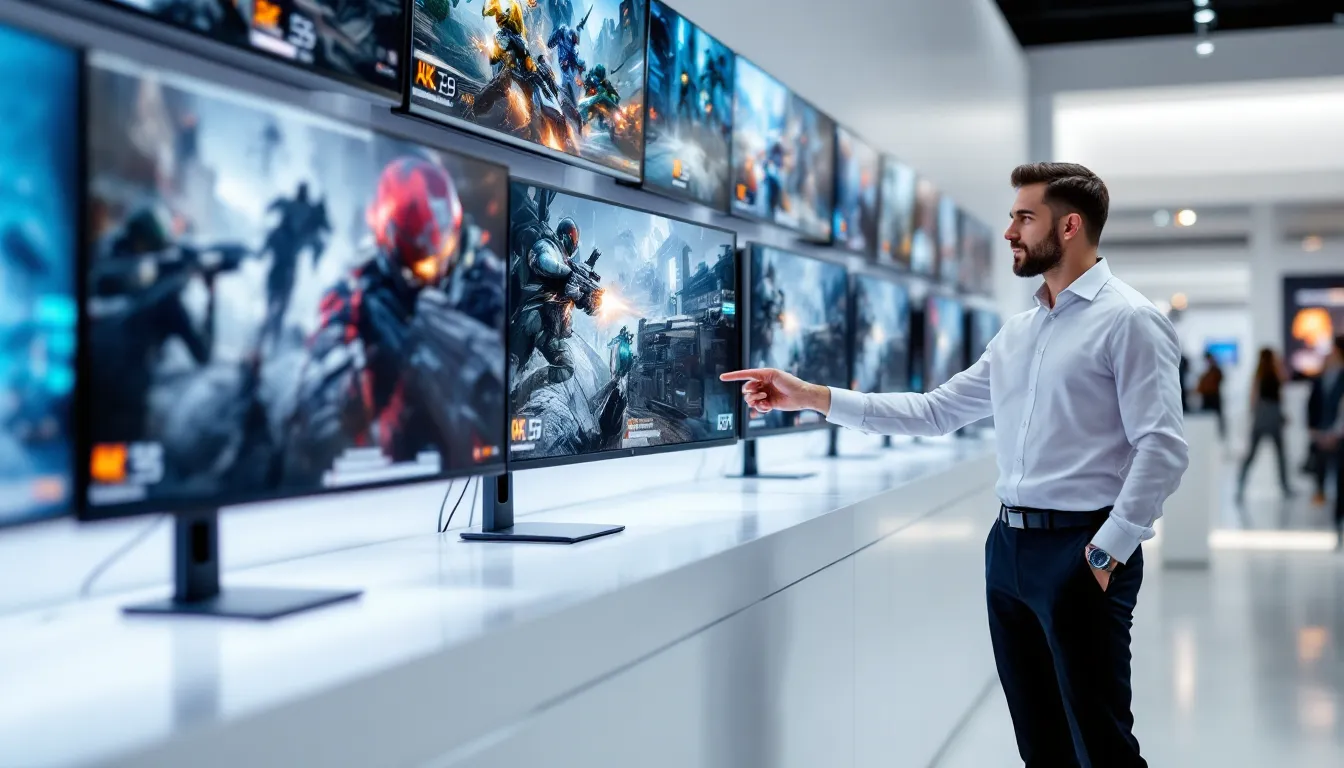
Best Buy Gaming Monitors: Top Picks for Every Budget and Play Style in 2026
Finding the right gaming monitor can make or break your setup. Whether you’re chasing competitive frames in Valorant or soaking in every detail of the latest AAA release, your display is the bridge between your hardware and your eyes. The market’s packed with options ranging from budget 1080p panels to bleeding-edge 4K OLED beasts, and the spec sheets don’t always tell the whole story.
This guide cuts through the noise. We’ve broken down the best gaming monitors available in 2026 across every price tier and use case, from esports grinders who need every millisecond of response time to immersion seekers who want ultrawide real estate. No fluff, just the monitors worth your money and the specs that actually matter.
Key Takeaways
- The best gaming monitors balance refresh rate, response time, and resolution based on your specific GPU capabilities and game genre—competitive shooters demand 240Hz+ and sub-1ms response, while single-player AAA titles prioritize 1440p resolution and HDR over extreme refresh rates.
- Best Buy gaming monitors span every budget tier from sub-$200 1080p/144Hz IPS panels (AOC 24G2) to premium OLED and mini-LED flagships ($900-$3,000), with the mid-range 1440p/165Hz sweet spot ($300-$500) offering the best overall value for most gamers.
- Panel technology dramatically affects gaming performance: OLED delivers unmatched contrast and sub-0.1ms response times but carries burn-in risks, IPS provides balanced colors and viewing angles, VA excels in contrast for immersive games, and TN offers competitive-focused speed with washed-out colors.
- Response time and refresh rate matter differently by playstyle—esports players gain measurable advantage from 360Hz+ monitors with <0.5ms GtG response, casual gamers find 144-165Hz perfectly adequate, and input lag (system latency) is often more critical than advertised response time alone.
- Ultrawide (21:9 and 32:9) gaming monitors transform immersion through expanded peripheral vision but demand serious GPU resources (RTX 4070+ for 21:9, RTX 4080+ for 32:9) and face compatibility limitations in competitive esports titles.
- Verify adaptive sync technology compatibility (G-Sync vs FreeSync) and connectivity standards (DisplayPort 1.4 for high refresh, HDMI 2.1 for console gaming) before purchasing to avoid compatibility issues with your existing GPU and peripherals.
What Makes a Gaming Monitor Great for Competitive and Casual Play?
Not all gaming monitors serve the same master. A display optimized for competitive FPS gameplay prioritizes different specs than one built for open-world exploration or RPGs. Understanding these core specifications helps narrow down what actually matters for your play style.
Refresh Rate and Response Time
Refresh rate measures how many times per second your monitor updates the image, expressed in hertz (Hz). Standard displays sit at 60Hz, but gaming monitors in 2026 range from 144Hz entry-level panels to 540Hz esports monsters.
Higher refresh rates deliver smoother motion and lower input lag. For competitive shooters or MOBAs, 240Hz+ is the current sweet spot where most players notice diminishing returns. Casual gamers and single-player fans will find 144Hz-165Hz perfectly adequate.
Response time (measured in milliseconds) indicates how quickly pixels transition between colors. Gray-to-gray (GtG) response times under 5ms prevent ghosting and motion blur during fast camera movements. Competitive panels now hit 1ms or below, though real-world performance depends on the panel technology and overdrive implementation.
Don’t confuse response time with input lag, the latter measures total system delay from controller input to screen output, and it’s rarely advertised but critically important for competitive play.
Panel Technology: TN, IPS, VA, and OLED
Panel type determines color accuracy, viewing angles, contrast ratio, and response characteristics. Each technology involves trade-offs.
TN (Twisted Nematic) panels offer the fastest response times (often sub-1ms) and highest refresh rates at lower prices. The catch? Washed-out colors and terrible viewing angles. They’re fading from the market but still appear in ultra-budget competitive monitors.
IPS (In-Plane Switching) panels deliver superior color accuracy and wide viewing angles with response times now competitive with TN thanks to modern Fast IPS variants. They’re the current jack-of-all-trades choice, though they suffer from IPS glow and mediocre contrast ratios (typically 1000:1).
VA (Vertical Alignment) panels split the difference with better contrast ratios (3000:1+) and deeper blacks than IPS, making them solid for immersive single-player games. Response times lag behind IPS, especially in dark-to-dark transitions, causing smearing in fast-paced games.
OLED represents the premium tier with per-pixel lighting, infinite contrast ratios, and response times under 0.1ms. The technology brings potential burn-in risks with static HUD elements, though 2026 models include aggressive pixel-refresh and warranty coverage. They’re expensive but unmatched for image quality.
Resolution and Screen Size
Resolution determines pixel density and sharpness. The gaming monitor landscape breaks down into clear tiers:
- 1080p (1920×1080): Easiest to drive, maximizes frame rates on modest hardware. Ideal for competitive gaming and budget builds. Looks sharp on 24-27″ screens but pixelated beyond that.
- 1440p (2560×1440): The current sweet spot balancing visual fidelity and performance. Works well on 27-32″ displays and pairs nicely with mid-range to high-end GPUs.
- 4K (3840×2160): Demands serious GPU horsepower but delivers stunning clarity on 27″+ screens. Better suited for single-player experiences unless you’re running a RTX 5080 or higher.
- Ultrawide (3440×1440 or 3840×1600): Expands peripheral vision in supported games, great for immersion and productivity. Not legal in most competitive esports.
Screen size should match resolution and viewing distance. Competitive players typically prefer 24-27″ for minimal eye movement. Immersive gaming benefits from 27-32″ at 1440p or 32″+ at 4K. Sit too close to a large, low-resolution display and you’ll see individual pixels.
Best Budget Gaming Monitors Under $200
Budget doesn’t mean settling for garbage. The sub-$200 category has improved dramatically, delivering 144Hz+ refresh rates and decent color at prices that won’t wreck your wallet.
AOC 24G2 remains a killer value at around $180. This 24″ IPS panel hits 144Hz at 1080p with a 1ms MPRT response time. Colors punch above the price point, and the stand offers full height/tilt/swivel adjustment, rare in this bracket. It includes both FreeSync and G-Sync compatibility.
The panel’s main weakness is average contrast (typical IPS 1000:1), but for fast-paced competitive games where refresh rate matters more than deep blacks, it’s hard to beat.
ASUS VP249QGR slides in around $160-170 and delivers similar specs: 24″ IPS, 144Hz, 1ms MPRT, adaptive sync. Build quality feels slightly cheaper than the AOC, and the stand lacks swivel, but it gets the job done if you’re pinching pennies.
ViewSonic XG2405-2 is another solid contender at $190, featuring a 24″ IPS panel with 180Hz refresh (overclocked from 165Hz native). The extra hertz provide minimal real-world benefit over 144Hz, but the improved color calibration out of the box and better stock settings make it worth considering.
All three monitors share similar limitations: 1080p resolution starts showing its age on screens larger than 24″, and HDR support is either absent or functionally useless (HDR400 with edge-lit backlights). But for competitive gaming on a tight budget, they deliver where it counts.
Expect to pair these with mid-range GPUs (RTX 4060, RX 7600) or better to actually use the high refresh rates. Running them on integrated graphics defeats the purpose.
Best Mid-Range Gaming Monitors ($200-$500)
The mid-range segment is where gaming monitors truly shine, offering 1440p resolution, high refresh rates, and premium panel technology without the eye-watering price tags of flagship models.
LG 27GP850-B ($350-400) dominates this category with a 27″ Nano IPS panel running 1440p at 165Hz (overclockable to 180Hz). Response times hit 1ms GtG, and the 98% DCI-P3 color gamut makes it equally capable for content creation. G-Sync Compatible and native FreeSync Premium support covers both GPU camps.
The monitor’s real strength is consistency, excellent factory calibration, minimal IPS glow, and a robust stand with full ergonomic adjustments. The only notable omission is true HDR (it’s rated HDR10 but lacks the brightness and zone dimming to make it worthwhile).
Dell S2722DGM ($300-330) offers a different approach with a 27″ VA panel at 1440p/165Hz. The curved screen and superior contrast ratio (3000:1+) create a more immersive experience for single-player games. Response times lag slightly behind IPS competitors, causing minor ghosting in extreme motion, but most players won’t notice in typical gameplay.
It’s a strong pick for gamers who prioritize deep blacks and contrast over pure speed, especially for horror titles or atmospheric games where visual depth matters.
Gigabyte M27Q X ($400-450) pushes into higher performance territory with a 27″ IPS panel hitting 240Hz at 1440p. This is the entry point for serious competitive players who want 1440p clarity without sacrificing refresh rate. The 0.5ms MPRT response time and KVM switch (lets you control two PCs with one keyboard/mouse) add practical value.
According to independent testing from display technology specialists, this panel maintains color accuracy even during fast motion, making it versatile enough for both competitive and casual gaming.
MSI MAG274QRF-QD ($450-500) incorporates quantum dot technology for wider color coverage (97% DCI-P3) while maintaining 165Hz/1440p specs. The QLED enhancement brings richer, more saturated colors without the premium OLED price tag. It’s overkill for pure esports but fantastic for games with vibrant art styles.
Mid-range monitors pair best with GPUs like the RTX 4070, RX 7800 XT, or better, you’ll need that horsepower to actually push 1440p at high refresh rates in modern AAA titles.
Best Premium Gaming Monitors for Enthusiasts ($500+)
Premium gaming monitors deliver cutting-edge panel technology, professional-grade color accuracy, and feature sets that justify the investment for serious enthusiasts and content creators.
ASUS ROG Swift PG27AQDM ($900-1000) represents the current OLED pinnacle for gaming. This 27″ QD-OLED panel combines 1440p resolution with a blistering 240Hz refresh rate and 0.03ms response time. The infinite contrast ratio and per-pixel dimming create visuals that IPS and VA can’t touch.
The QD-OLED technology delivers 99% DCI-P3 color volume with perfect blacks even in bright scenes. ASUS includes a three-year burn-in warranty and aggressive pixel-shifting/refresh features to mitigate OLED longevity concerns. The custom heatsink keeps the panel cooler than competing OLEDs, extending lifespan.
Dealbreakers? The glossy coating creates reflections in bright rooms, and text clarity suffers slightly due to the subpixel layout (fine for gaming, less ideal for productivity). At this price, it’s a gaming-first investment.
Samsung Odyssey Neo G7 ($700-800) takes a different approach with a 32″ 4K mini-LED panel running at 165Hz. The 1,196-zone full-array local dimming (FALD) delivers excellent HDR performance (DisplayHDR 600) with peak brightness exceeding 1,000 nits. The curved VA panel (1000R) enhances immersion for single-player experiences.
The mini-LED backlighting avoids OLED burn-in risks while providing deep blacks and bright highlights. Response time (1ms GtG) trails OLED but remains competitive for all but the most extreme competitive scenarios.
LG 27GR95QE-B ($800-900) offers another OLED option at 27″ with 1440p/240Hz specs. The WOLED panel (white OLED with color filters rather than quantum dots) produces slightly different color characteristics than the ASUS QD-OLED, more neutral and less saturated, which some prefer for color-critical work.
LG’s implementation includes DisplayPort 1.4 and HDMI 2.1 for PS5/Xbox Series X compatibility at full spec. The anti-glare coating reduces reflections better than the ASUS but marginally softens image clarity.
Alienware AW3423DWF ($900-1000) brings 34″ ultrawide QD-OLED goodness at 3440×1440 resolution and 165Hz refresh. The 21:9 aspect ratio transforms compatible games, providing peripheral vision that flat 16:9 panels can’t match. Performance analysis from hardware benchmarking sources consistently ranks this as the best ultrawide OLED for gaming.
The 1800R curve wraps the display around your field of view without being overly aggressive. It’s the ultimate immersion machine for RPGs, racing sims, and flight games.
All premium monitors demand high-end GPUs (RTX 4080/4090, RX 7900 XT/XTX) to properly use their capabilities, especially at 4K or ultrawide resolutions.
Best Gaming Monitors for Competitive Esports
Competitive gaming strips away every luxury except what directly impacts performance: refresh rate, response time, and input lag. These monitors exist for one purpose, maximizing your competitive edge.
BenQ ZOWIE XL2566K ($500-550) is the weapon of choice for professional CS2, Valorant, and Overwatch 2 players. The 24.5″ TN panel reaches 360Hz at 1080p with a true 0.5ms GtG response time and industry-leading motion clarity thanks to BenQ’s DyAc+ backlight strobing technology.
The TN panel sacrifices color accuracy and viewing angles, but competitive players don’t care, they want the clearest motion and fastest response. The monitor includes BenQ’s adjustable shielding panels to reduce peripheral distractions during tournaments, plus a small footprint base that maximizes desk space for low-sensitivity mouse movements.
No adaptive sync (deliberate choice to minimize input lag), no HDR, no RGB lighting. Pure performance.
ASUS ROG Swift PG259QN ($450-500) offers an IPS alternative at 24.5″ with 360Hz refresh and 1ms GtG response. You sacrifice a hair of response time versus the BenQ TN panel but gain significantly better colors and viewing angles. The Nvidia Reflex Latency Analyzer integration lets you measure true system latency with compatible peripherals.
G-Sync module ensures tear-free gameplay down to 1 FPS, and the ASUS-exclusive ELMB (Extreme Low Motion Blur) reduces persistence blur during fast motion. It’s the best of both worlds if you split time between competitive grinding and casual gaming.
Alienware AW2524H ($400-450) pushes boundaries with a native 500Hz refresh rate at 1080p on a 24.5″ IPS panel. Practically speaking, the difference between 360Hz and 500Hz is imperceptible to most humans, but the panel’s overall responsiveness and motion clarity impress even if you can’t consciously detect the extra frames.
The Fast IPS panel maintains 0.5ms GtG response while delivering better color than traditional IPS. It’s future-proofing for esports titles where frame rates continue climbing.
ViewSonic XG2431 ($300-350) targets budget-conscious competitive players with a 24″ IPS panel at 240Hz. The Blur Busters-approved Pendulum mode provides adjustable backlight strobing for motion clarity without the TN color penalty. At significantly lower cost than 360Hz+ options, it delivers 90% of the performance for players who can’t justify flagship pricing.
Every competitive monitor listed prioritizes 1080p resolution, it’s easier to drive high frame rates, and pixel density at 24-25″ remains sharp enough that 1440p offers no competitive advantage while demanding more GPU resources.
Best 4K Gaming Monitors for Immersive Visuals
4K gaming monitors prioritize visual fidelity over frame rate ceiling, delivering stunning clarity for single-player campaigns, open-world exploration, and graphically intensive titles where every detail matters.
LG 27GR93U ($700-750) combines a 27″ 4K IPS panel with 144Hz refresh, the ideal balance for high-end gaming PCs. The Nano IPS technology covers 98% DCI-P3 with excellent factory calibration straight out of the box. At 27″, the pixel density (163 PPI) makes text razor-sharp for productivity while maintaining smooth scaling in games.
Response time hits 1ms GtG, and the DisplayHDR 400 certification provides basic HDR capability (though real HDR requires 600+ brightness and local dimming). HDMI 2.1 support makes it compatible with PS5/Xbox Series X at full 4K/120Hz.
The sweet spot for this monitor is pairing it with an RTX 4080 or RX 7900 XTX, enough power to hit 100+ FPS in optimized games while maintaining high settings.
Samsung Odyssey Neo G8 ($1,200-1,300) pushes into exotic territory with a 32″ 4K curved VA panel hitting 240Hz. The 1,196-zone mini-LED backlight delivers genuine HDR1000 certification with peak brightness exceeding 2,000 nits in small windows. Watching HDR content or playing supported games creates jaw-dropping contrast.
The aggressive 1000R curve isn’t for everyone, some users report distortion at the edges during productivity work, but for gaming immersion, it enhances depth perception. Quantum dot technology extends color volume to 95% DCI-P3.
Only the absolute fastest GPUs (RTX 4090, future 5090) can realistically push 4K at 240Hz in modern AAA titles, but having headroom for esports titles and future hardware makes it a long-term investment.
ASUS ROG Swift PG32UQX ($2,500-3,000) represents the absolute pinnacle with a 32″ 4K IPS panel featuring 1,152-zone mini-LED backlighting. DisplayHDR 1400 certification brings professional-grade HDR performance with peak brightness hitting 1,400 nits sustained (over 3,000 nits in small highlights).
The per-zone dimming creates nearly OLED-level contrast without burn-in risks, though blooming around bright objects on dark backgrounds remains visible (physics limitation of LED backlighting). At 144Hz refresh, it targets cinematic gaming experiences over competitive frame rates.
Gaming publications like PC hardware reviewers note this monitor’s exceptional performance in HDR-mastered titles like Cyberpunk 2077 and Horizon Forbidden West, where the extended brightness range and color accuracy showcase artistic intent.
The price tag makes this a halo product for enthusiasts who demand uncompromising image quality and have the GPU firepower to match.
Gigabyte M32U ($650-700) offers better value with a 32″ 4K IPS panel at 144Hz. The SS IPS panel maintains 1ms MPRT response with wide color coverage (95% DCI-P3). It includes USB-C connectivity with 15W power delivery, KVM switch functionality, and picture-by-picture for multitasking.
Build quality and features punch above the price point, making it the smart 4K choice for gamers who want premium performance without the luxury tax of flagship models.
Best Ultrawide and Curved Gaming Monitors
Ultrawide monitors transform gaming through expanded peripheral vision and increased screen real estate. The 21:9 and 32:9 aspect ratios create natural immersion, though compatibility varies by game.
Alienware AW3423DWF ($900-1,000) brings 34″ QD-OLED at 3440×1440 with 165Hz refresh and 0.1ms response time. The infinite contrast and perfect blacks make it untouchable for visual quality in supported titles. The 21:9 aspect ratio works in most modern games but requires tweaking or black bars in competitive esports titles that lock to 16:9.
The 1800R curve enhances immersion without distorting straight lines during productivity work. Dell’s three-year OLED warranty covers burn-in, addressing the biggest concern with OLED technology.
Games like Red Dead Redemption 2, Forza Horizon 5, and Starfield absolutely sing on this display, wrapping environments around your peripheral vision in ways flat panels can’t replicate.
Samsung Odyssey OLED G9 ($1,800-2,000) goes absolutely nuclear with a 49″ dual-QHD (5120×1440) QD-OLED panel at 240Hz. The 32:9 super-ultrawide aspect ratio essentially eliminates bezels from dual-monitor setups while maintaining seamless color and brightness.
The extreme 1800R curve creates an IMAX-like cocoon effect. It’s spectacular for racing sims, flight games, and space exploration titles but completely impractical for competitive shooters (most don’t support 32:9, and the width creates excessive eye movement).
At 49″, desk space becomes a genuine concern, you’ll need at least 5 feet of width and sufficient depth to sit back far enough to take in the whole display comfortably.
LG 34GP83A-B ($600-700) provides a more accessible 34″ 21:9 Nano IPS option at 3440×1440 and 144Hz. The flat panel (not curved) maintains color accuracy across the width better than curved alternatives, making it better suited for color-critical work alongside gaming.
Response time hits 1ms GtG, and the 98% sRGB/HDR10 support delivers solid visual quality without OLED’s burn-in concerns. It’s the safe, reliable ultrawide choice for gamers who split monitor usage between gaming and productivity.
AOC CU34G2X ($400-450) targets budget ultrawide seekers with a 34″ curved VA panel at 3440×1440 and 144Hz. The aggressive 1500R curve and 3000:1 contrast ratio create impressive depth, though the VA panel’s slower response time (4ms GtG) causes minor ghosting in fast motion.
For the price, it’s the entry point into ultrawide gaming without very costly, especially for single-player focused gamers who prioritize immersion over competitive response times.
Ultrawide gaming demands serious GPU horsepower, the pixel count of 3440×1440 sits between 1440p and 4K, while 5120×1440 exceeds standard 4K. Pair with RTX 4070 Super minimum for smooth 21:9 gaming, or RTX 4080+ for 32:9.
Key Features to Consider Before You Buy
Beyond core specs like resolution and refresh rate, several features significantly impact long-term satisfaction and compatibility with your gaming setup.
Adaptive Sync Technologies: G-Sync vs FreeSync
Adaptive sync technologies eliminate screen tearing and stuttering by synchronizing monitor refresh rate with GPU frame output. Understanding the differences helps avoid compatibility headaches.
AMD FreeSync is an open standard supported by all modern AMD GPUs and increasingly by Nvidia cards (through G-Sync Compatible certification). FreeSync monitors typically cost less because AMD doesn’t charge licensing fees. The technology works over DisplayPort and HDMI, making it console-compatible (PS5 and Xbox Series X both support FreeSync).
FreeSync tiers include:
- FreeSync: Basic adaptive sync with no guaranteed spec range
- FreeSync Premium: Requires 120Hz minimum at 1080p with Low Framerate Compensation (LFC)
- FreeSync Premium Pro: Adds HDR support with specific brightness/color requirements
Nvidia G-Sync comes in three flavors:
- G-Sync Compatible: FreeSync monitors validated by Nvidia to work properly with GeForce cards (no hardware module, lower cost)
- G-Sync: Includes Nvidia’s proprietary hardware module for broader variable refresh range and guaranteed quality (adds $100-200 to monitor cost)
- G-Sync Ultimate: Premium tier requiring HDR1000 certification and direct LED backlighting
Practically speaking, G-Sync Compatible FreeSync monitors deliver equivalent performance to native G-Sync for most users at lower prices. Only edge cases benefit from the hardware G-Sync module’s wider range and overclocking features.
If you’re running an AMD GPU, prioritize FreeSync Premium or higher. Nvidia users can use either, but check the G-Sync Compatible list to confirm validation.
HDR Support and Color Accuracy
HDR (High Dynamic Range) expands brightness and color range beyond standard SDR, but monitor HDR implementation varies wildly in quality.
VESA DisplayHDR certification tiers include:
- HDR400: Marketing checkbox requiring only 400 nits peak brightness with no local dimming. Visual improvement is minimal and often not worth enabling.
- HDR600: Requires 600 nits and edge-lit dimming. Noticeable improvement in bright scenes but limited dynamic range.
- HDR1000/1400: Premium tier requiring full-array local dimming (FALD) with hundreds of zones. Genuine HDR experience with dramatic contrast.
OLED panels achieve perfect HDR naturally through per-pixel lighting, making certification tiers less relevant, if the monitor is OLED, HDR will be excellent regardless of certification.
Color accuracy matters for content creators and gamers who want authentic visuals. Look for:
- Wide color gamut: 95%+ DCI-P3 coverage for vibrant, saturated colors
- Factory calibration: Delta-E values under 2 indicate accurate color representation out of box
- 10-bit color depth: Eliminates banding in gradients (8-bit with FRC dithering is acceptable)
Most gaming monitors ship with oversaturated default settings. Check reviews for calibrated settings or invest in a colorimeter ($150-200) for professional accuracy.
Connectivity Options and Ergonomics
Don’t overlook practical features that affect daily usability:
Connectivity:
- DisplayPort 1.4: Supports up to 4K/144Hz or 1440p/240Hz (required for high refresh gaming)
- HDMI 2.1: Necessary for PS5/Xbox Series X at 4K/120Hz: older HDMI 2.0 maxes at 4K/60Hz
- USB-C with DisplayPort Alt Mode: Single-cable solution for laptops (check power delivery wattage)
- USB hub: Built-in USB ports reduce cable clutter for peripherals
- KVM switch: Control multiple PCs with one keyboard/mouse (rare but valuable for multi-system setups)
Ergonomics:
- Height adjustment: Minimum 4″ range prevents neck strain
- Tilt: Standard on most monitors (-5° to +20° typical)
- Swivel: Useful for sharing screen or angled desk placement
- Pivot: Rotate to portrait mode (mostly relevant for productivity, not gaming)
- VESA mount: 100×100mm pattern allows monitor arms (check weight capacity)
Cheap monitors skimp on stand adjustability. Factor in $100-150 for a quality monitor arm if the included stand is fixed-height.
How to Choose the Right Gaming Monitor for Your Setup
Matching your monitor to your specific gaming habits, hardware, and space constraints ensures you don’t overspend on features you won’t use or bottleneck performance with mismatched components.
Match refresh rate to your GPU’s capabilities. There’s no point buying a 240Hz monitor if your GPU struggles to hit 100 FPS in the games you actually play. Check realistic frame rates in your favorite titles:
- Budget GPUs (RTX 4060, RX 7600): Target 1080p/144Hz monitors
- Mid-range GPUs (RTX 4070, RX 7800 XT): Sweet spot is 1440p/144-165Hz
- High-end GPUs (RTX 4080, RX 7900 XTX): Can handle 1440p/240Hz or 4K/144Hz
- Flagship GPUs (RTX 4090): 4K/240Hz or ultrawide OLED territory
Prioritize resolution based on screen size and viewing distance. The relationship between size, resolution, and desk depth determines perceived sharpness:
- 24″: 1080p is perfectly sharp: 1440p offers minimal benefit
- 27″: 1440p is ideal: 1080p looks soft, 4K is overkill unless you sit very close
- 32″+: 4K necessary to maintain sharpness: 1440p shows individual pixels
Sit approximately one arm’s length from 24-27″ monitors, slightly farther for 32″+ displays.
Consider your primary game genres. Different genres stress different monitor characteristics:
- Competitive FPS/MOBA (CS2, Valorant, League): Prioritize refresh rate (240Hz+) and response time (<1ms): stick with 1080p or 1440p for maximum FPS
- Battle Royale (Fortnite, Apex, Warzone): Balance refresh (144-165Hz) with resolution (1440p) for visibility at distance
- Single-player AAA (Cyberpunk, Starfield, Elden Ring): Emphasize resolution (1440p/4K), HDR, and color accuracy over extreme refresh
- Racing/Flight Sims: Ultrawide or multi-monitor setups for peripheral awareness: high refresh helps with motion smoothness
- RPGs/Strategy: Resolution and screen real estate matter more than refresh: 60-75Hz is often sufficient
Account for desk space and ergonomics. Measure your actual available desk width and depth before committing to large or ultrawide displays:
- 24″: Requires ~24″ width, 18″ depth minimum
- 27″: Requires ~27″ width, 20″ depth minimum
- 32″: Requires ~31″ width, 24″ depth minimum
- 34″ ultrawide: Requires ~33″ width, 22″ depth minimum
- 49″ super-ultrawide: Requires ~48″ width, 26″ depth minimum
If you’re tight on space, consider a monitor arm to free up desk surface and improve positioning flexibility.
Budget holistically. A $500 monitor paired with a $300 GPU makes no sense. Allocate roughly 30-40% of your total gaming budget to GPU, 20-25% to monitor, with the remainder split between CPU, RAM, storage, and peripherals. Don’t skimp on the monitor as an afterthought, it’s your primary interface with every game you play.
Check return policies and dead pixel guarantees. Manufacturing defects happen. Ensure the retailer offers hassle-free returns within at least 14-30 days, and check the manufacturer’s dead pixel policy (some require 5+ dead pixels before warranty replacement, others have zero-tolerance).
Conclusion
The right gaming monitor amplifies every aspect of your setup, from competitive reaction times to cinematic immersion. In 2026, the market offers stronger options at every price point than ever before, whether that’s 1080p/144Hz panels under $200, the 1440p/165Hz sweet spot in the mid-range, or cutting-edge OLED and mini-LED flagships pushing visual boundaries.
Your ideal choice comes down to matching specs to your actual gaming habits and hardware. Competitive players gain measurable advantage from high refresh rates and low response times. Single-player enthusiasts benefit more from resolution, HDR, and color accuracy. Balanced builds find the best value in mid-range 1440p monitors that handle both use cases competently.
Don’t chase specs you can’t use or features that don’t align with how you actually game. A well-matched $350 monitor will deliver better real-world experience than a $1,000 flagship paired with incompatible hardware or mismatched priorities.